Google Antigravity: The IDE That Codes While You Make Coffee
Google Antigravity isn’t just Copilot with a new logo—it’s an agentic IDE that plans, edits, tests, and debugs across your whole project. Here’s what to know before you trust it with your code (and your RAM).

Imagine this: you open an IDE, describe the app you want, and instead of getting a few autocomplete crumbs… the tool goes off, makes a plan, edits files, runs tests in a real browser, debugs the mess it created, and comes back with something that actually works. That’s the promise of Google Antigravity, and it’s very much not your normal “AI in VS Code” situation.
Here’s the thing… if you treat Antigravity like a fancy code assistant, you’ll miss the point and probably hate it. It’s an agentic IDE—meaning the AI isn’t just suggesting lines. It’s doing work across your repo, your terminal, and even a Chromium browser, like a junior dev you can boss around (minus the Slack status drama).
So what is Google Antigravity, really?
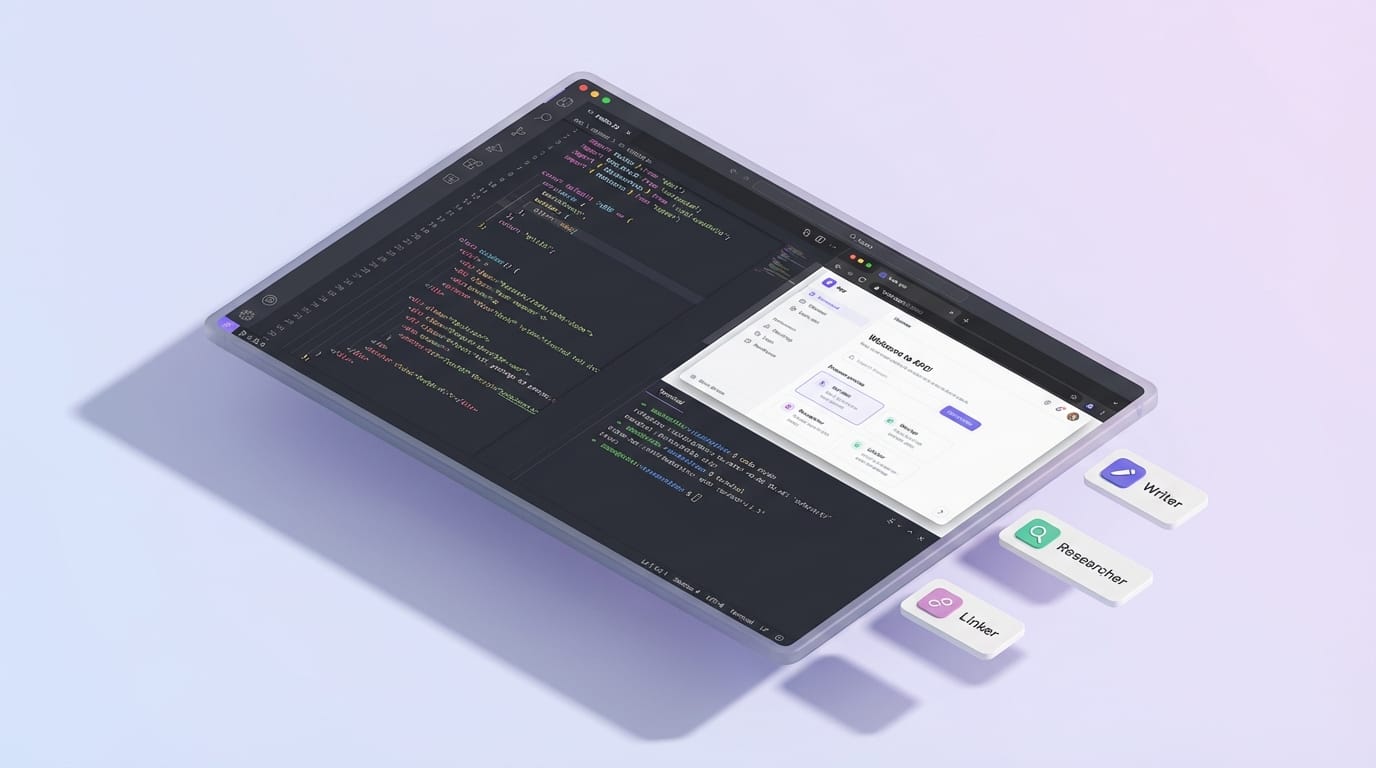
Google Antigravity is an AI-powered, agent-first IDE from Google, launched as a public preview in 2026. It’s built for autonomous coding: planning changes, writing code, wiring components together, running tests, and debugging—often without you touching every file manually. Under the hood, it supports advanced models including Gemini 3 Pro (notably good at multimodal stuff like analyzing screenshots) and Claude Sonnet 4.5. During public preview, it’s been free on Mac/Windows/Linux—with some caveats we’ll talk about. Sources: [1][3][4]
The big mental shift: you’re not “pair programming” in real time. You’re delegating. Antigravity’s agents can operate asynchronously: they make a plan, execute it, validate it, and iterate. Sources: [3][4]
Deep dive: what you actually need to know (the stuff that matters)
1) It’s agent-first, not chat-first
Most AI coding tools are like: “Here’s a suggestion, wanna accept it?” Antigravity is more like: “Got it. I’ll change 17 files, run the tests, open Chrome, click the button, notice it’s broken, then fix it.”
That agent loop—plan → execute → validate → iterate—is the core product. It’s why people call it a “force multiplier” when it behaves, and a “paperweight” when it doesn’t. Sources: [1][4][5]
2) The built-in browser agent is a big deal
This is one of the most underrated parts: Antigravity includes a browser sub-agent that can interact with your app through Chromium. That means it can visually verify UI changes, do end-to-end testing, and reproduce bugs like a human would—by actually using the interface. Sources: [1][3][4]
If you’ve ever had an AI confidently claim “the button works now” without ever clicking the button… yeah. This is the antidote.
3) The toolchain inside Antigravity is more than “write code”
Antigravity ships with a set of core tools/agents. The ones worth knowing:
- Writer: generates/edits code and content across files.
- Researcher: gathers context, looks things up, builds understanding.
- Linker: connects components and references across your project—reportedly 100x faster in v2.0. Source: [1]
- Scout: newer tool for working with images. Source: [1]
- UI generators: prebuilt generators for hero sections, forms, service grids, trust blocks. Source: [1]
4) Agent Manager = “Google Docs comments,” but for your build plan
Antigravity includes an Agent Manager that oversees multiple agents and supports a commenting workflow—think Google Docs-style notes on plans or screenshots for async feedback. This is genuinely useful if you like reviewing a plan before letting the agent run wild. Sources: [1][4]
5) Version 2.0 made it faster… but it’s still heavy
In mid-January 2026, Antigravity v2.0 shipped with big performance improvements (including that “100x faster” claim for key components), plus the scout tool, UI generators, and Agent Manager upgrades. Sources: [1][7]
But look, I’ll be honest… people still report that it’s resource-heavy (Java + Electron), with high RAM usage and some lag in preview mode. If your laptop already wheezes when Chrome hits 32 tabs, Antigravity might finish it off. Source: [3]
Common mistakes (aka how people rage-quit Antigravity)
- Treating it like VS Code + Copilot: It’s not primarily about inline suggestions. Give it tasks and let it run. Source: [3]
- Letting an agent loose without guardrails: If it can access your shell and files, it can absolutely do damage. Use allow/deny lists and be intentional. Source: [3]
- Using it for huge enterprise stacks on day one: It’s often praised for prototyping/greenfield builds, but users say it’s not as comfy in mature enterprise pipelines (e.g., Azure DevOps-heavy shops). Source: [1]
- Ignoring rate limits: “Free preview” doesn’t mean “infinite.” Rate limits have been strict for some users, with confusing reset timelines (some reporting resets as far out as April 2, 2026). Source: [2]
Quick wins: how to get value in your first week
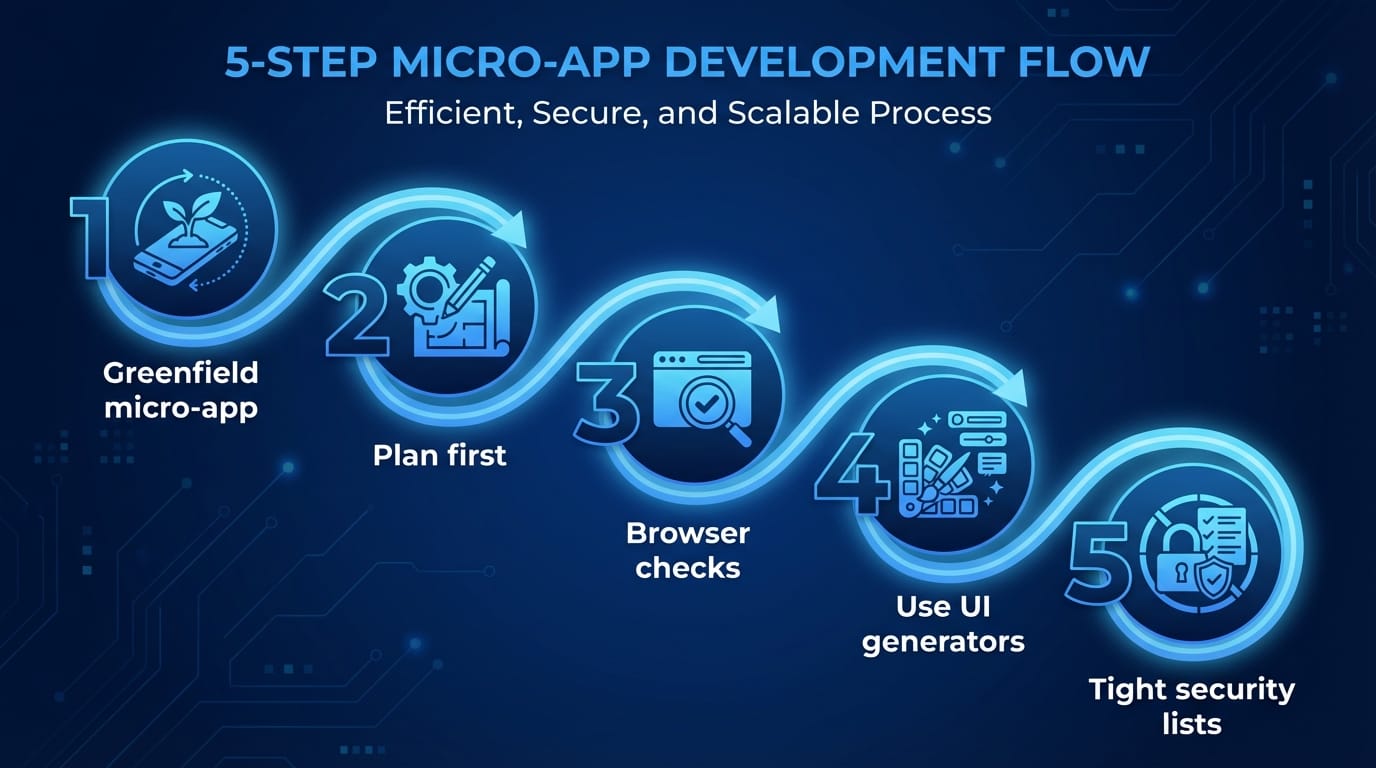
- Start with a greenfield micro-app (dashboard, CRUD app, landing page). Let Antigravity build the scaffolding and UI quickly.
- Ask for a plan first, then comment on it in Agent Manager before execution. Source: [1][4]
- Make it run browser-based checks: “Open Chromium, click through sign-up, confirm error states.” Source: [1][3]
- Use UI generators for the boring stuff (forms, hero sections, trust blocks). Source: [1]
- Keep a tight security posture: explicitly manage allow/deny access for shells and external calls. Source: [3]
FAQ
Is Antigravity free?
During the public preview, it’s been available for free, but access and limits have varied. Some users report strict rate limits and odd reset windows. Source: [2]
What models does it use?
It supports Gemini 3 Pro (including multimodal reasoning like screenshot analysis) and Claude Sonnet 4.5. Sources: [1][3][4]
Is it safe to use on my real codebase?
It can be, but you need to treat it like you’re giving a contractor keys to your workshop. Antigravity agents can access shells and send code to the cloud, so you’ll want strong allow/deny lists and good judgment about what repos you point it at. Source: [3]
Is it better than GitHub Copilot?
Different tool for a different job. Copilot is great for mature repos and steady productivity boosts. Antigravity is built for autonomous workflows and rapid prototyping—when you want an agent to take a whole task, not just suggest lines. Source: [3]
Personal sign-off
The bottom line is… Google Antigravity is a glimpse of where IDEs are heading: less “typing faster” and more “delegating outcomes.” But it’s still preview software: heavy, sometimes rate-limited, occasionally brilliant, occasionally infuriating.
If you’re building prototypes, shipping small apps, or you just want to feel the future show up early—try it. Just don’t hand it the keys to your most delicate production repo on day one, okay?
Sources: [1] Google Antigravity feature overview and v2.0 notes (public preview, tools, Agent Manager, UI generators). [2] User reports on rate limits and reset timelines during preview. [3] Comparative/experiential write-ups: agent-first workflow, performance footprint, extension ecosystem, security posture, best-for guidance. [4] Coverage of agentic approach, async planning/execution/validation loop, Agent Manager collaboration. [5] Critical feedback: bugs, filters, and optimization concerns; “paperweight” critiques and planned re-optimization. [7] January 2026 updates: agent skills and v2.0 performance upgrades.