Claude Code Feeling “Basic”? Steal These Free Superpowers from skills.sh
You can give Claude Code new “superpowers” for free by installing modular skills from skills.sh. Here’s the simple 5-step workflow to download, install, and reliably use skills (plus common mistakes to avoid).

Ever wish Claude Code could stop being “pretty good at everything” and become ridiculously good at the exact stuff you do every day?
Here’s the thing… you don’t need a paid add-on, a custom model, or a weekend lost to prompt-engineering rabbit holes. You can enhance Claude Code for free by installing modular skills from skills.sh—basically a big, open library of drop-in workflows, scripts, and domain knowledge that Claude can load on demand.
What’s the actual problem skills solve?
Claude Code is great… until you ask it to do something repeatable and specific. Like:
- “Generate a consistent product spec template every time.”
- “Run my usual repo cleanup steps.”
- “Summarize PDFs the way my team likes.”
- “Integrate with BigQuery / Notion / some API without me re-explaining everything.”
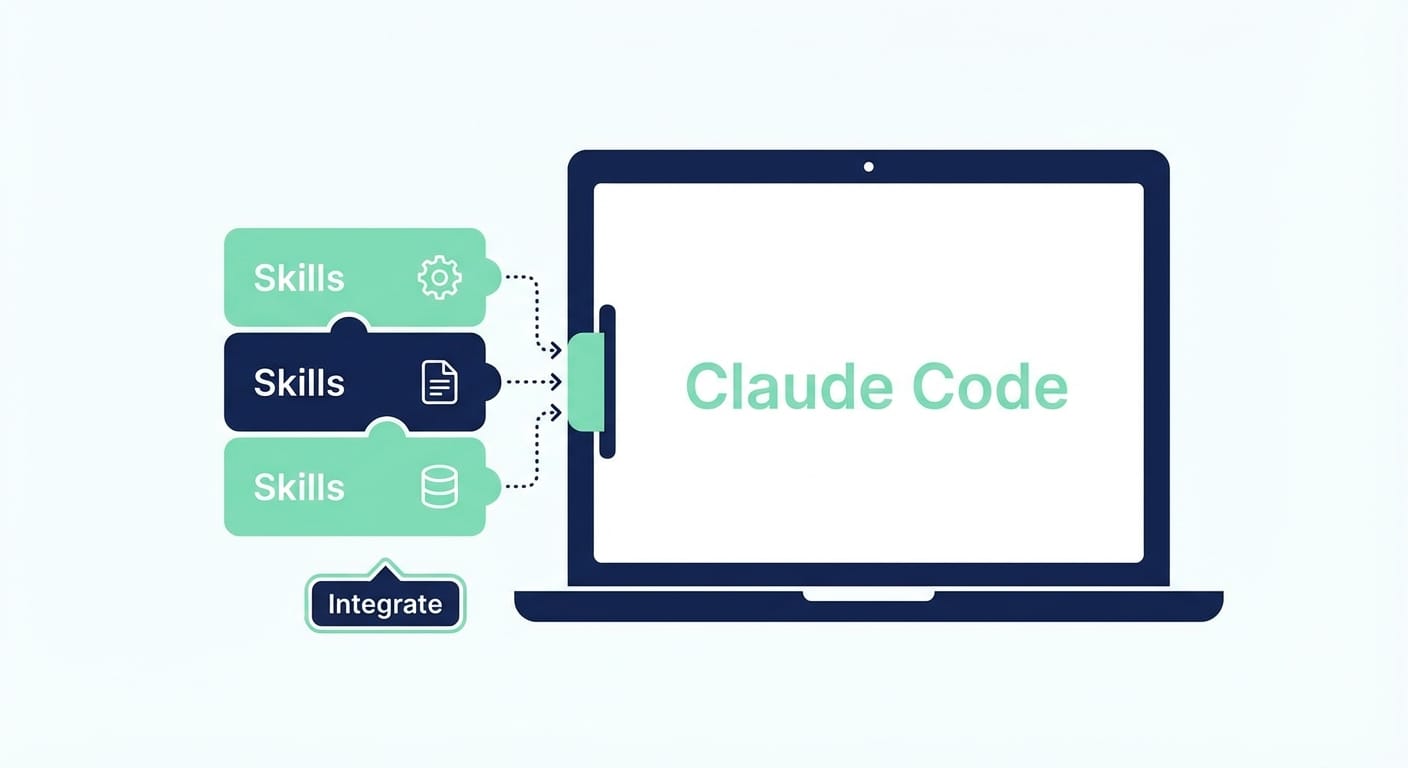
What most people miss is that the best AI workflows aren’t clever prompts—they’re packaged behavior. That’s what skills are: small, self-contained packages (usually a folder with a SKILL.md and optional scripts/references) that teach Claude a repeatable way to do a job. Anthropic designed skills to work across Claude surfaces (Claude.ai, Claude Code, and APIs) without you having to modify Claude itself. Sources: Anthropic docs on skills and packaging concepts [1][2][4].
So what is skills.sh, exactly?
Think of skills.sh as a community marketplace—except the good stuff is free and you’re not wading through 800 “growth hacking” templates from 2017. It hosts a growing ecosystem of skills: specialized workflows, scripts, and reusable know-how you can download and drop into your Claude skills directory. Sources: skills.sh overview and ecosystem notes [2][3].
Some skills are simple (like a structured research workflow). Others bundle scripts (Python/Bash) so Claude can execute predictable actions—file ops, transformations, even API calls—especially when paired with Vercel’s skills runtime for shell-based commands. Source: Vercel runtime details [3].
How to enhance Claude Code with skills.sh (5 steps)
Look, I’ll be honest… this sounds like it should be annoying. It’s not. It’s basically “download folder → put folder somewhere → restart → use skill.”
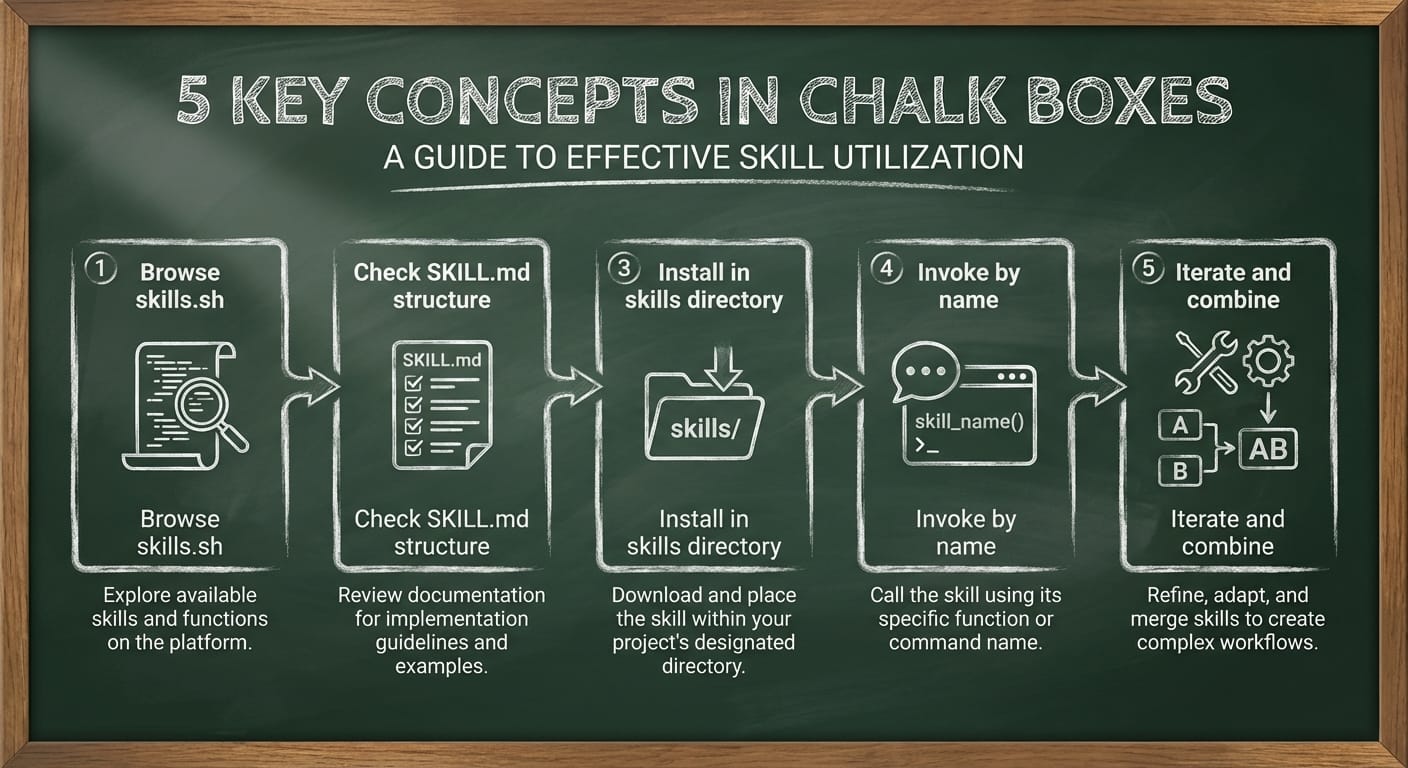
Step 1) Browse skills.sh and pick 1–3 skills you’ll actually use
Go to skills.sh, find a skill that matches a real workflow you do repeatedly (PDF handling, research, data analysis, integrations, presentation generation, etc.), then download the folder/ZIP. Many public skills are available without an account. Source: skills.sh access and downloads [2][3].
Step 2) Sanity-check the skill structure (especially if you grabbed it from a repo)
A typical skill looks like:
- your-skill-name/
- SKILL.md (with YAML frontmatter like name and description)
- scripts/ (optional)
- references/ (optional)
If you’re building or tweaking your own, tools like skill-creator can initialize and package skills (e.g., init_skill.py, package_skill.py). Sources: skill format + skill-creator mentions [2].
Step 3) Install it into Claude Code’s skills directory
Drop the skill folder into Claude Code’s skills directory (you can find it via settings or your file explorer depending on your setup). You can also upload skills via Claude.ai under Settings > Capabilities > Skills, which can sync into Claude Code. For orgs, admins can deploy skills at the workspace level (noted in Anthropic’s org features). Sources: install paths and admin deployment options [1][4].
Then restart Claude Code. Yes, really. Restarting is what forces a clean reload of skills. Source: restart requirement [4].
Step 4) Use the skill explicitly (don’t be subtle)
Claude can auto-trigger skills based on the description, but if you want reliable behavior, be direct. Say something like:
Use the [skill-name] skill to generate a PRD for this feature. Here’s what most people miss… naming the skill explicitly reduces confusion and makes the output consistent. Source: explicit invocation best practice and auto-triggering behavior [4][1].
If the skill includes scripts, you can have Claude run them as part of the workflow (like scripts/rotate_pdf.py). Source: scripts support in skills [2].
Step 5) Iterate: customize, combine, and test with real work
Don’t treat skills like sacred artifacts. Open SKILL.md, read the intended usage patterns, and adjust them to match your real environment. Claude can also help you generate a custom skill folder + docs + scripts from requirements inside Claude Code. Sources: iterating via SKILL.md and creating skills in Claude Code [1][2][4].
Skills can also be combined for multi-step workflows (e.g., research skill + slide-deck skill). Source: skill combination behavior [1][4].
The Bottom Line (TL;DR)
- skills.sh is a free library of modular skills you can add to Claude Code.
- Installing is mostly “download folder → drop into skills dir → restart.”
- Invoke skills by name for consistent results.
- Combine skills + scripts for repeatable workflows (and fewer token-wasting explanations).

Quick wins (stuff you can do in 10 minutes)
- Start with one pain point: pick the skill that fixes the most annoying repeat task.
- Rename skills clearly: clear names = better activation and less “which one did you mean?”
- Pin a prompt snippet: keep a one-liner like “Use the X skill to do Y” in your notes.
- Check for scripts: if a skill has scripts/, you may get faster + more deterministic results.
Common mistakes (aka: why people think skills ‘don’t work’)
- They don’t restart Claude Code. Skills won’t reliably load until restart. Source: restart note [4].
- They install the ZIP wrong. You want skill-name/SKILL.md, not skill-name/skill-name/SKILL.md.
- They never invoke the skill by name. Claude may not guess you want it—tell it. Source: explicit invocation [4].
- They hoard skills. More isn’t better; it can create overlap. Install a few, then expand intentionally.
FAQ
Is this really free?
Yes. skills.sh hosts a large set of public skills you can download and use without paying for the skills themselves. (You still need access to Claude Code, obviously.) Sources: free/public skills notes [2][3].
Do skills only work in Claude Code?
No—skills are designed to be portable across Claude.ai, Claude Code, and API surfaces. Source: cross-surface portability [1][2][4].
Can I build my own skill?
Absolutely. A skill is basically a documented playbook (SKILL.md) plus optional scripts and references. Tools like skill-creator help bootstrap and package them. Source: skill-creator tools [2].
Can skills integrate with other tools?
Yes. Skills can pair with MCP connectors (like Notion) and can be used programmatically (e.g., via skills endpoints) depending on your setup. Source: MCP + API notes [1].
What I’d do next (if I were you)
Action challenge: pick one workflow you repeat weekly (PRDs, release notes, PDF extraction, repo cleanup—whatever), then go install exactly one skill from skills.sh today. Use it on real work, not a toy example. Tomorrow, either delete it or refine it. That’s how you build a “Claude that works like your team,” not a chatbot that gives nice-sounding answers.
Sources
- [1] Anthropic documentation/notes on skills portability, activation, MCP pairing, and org deployment (as referenced in provided research data).
- [2] skills format details (SKILL.md, scripts, references), skill-creator tooling, and ecosystem examples (as referenced in provided research data).
- [3] Vercel Skills.sh runtime for shell-based commands and predictable execution (as referenced in provided research data).
- [4] Claude Code skills installation/usage best practices (explicit invocation, restart after install) (as referenced in provided research data).