Stop Calling Extra Workflows: Run Multi-Agent AI Inside n8n
You don’t need to call separate workflows to run multiple AI agents in n8n. Use sequential routing, parallel branches, or an orchestrator agent with shared memory to keep everything coherent, debuggable, and fast.
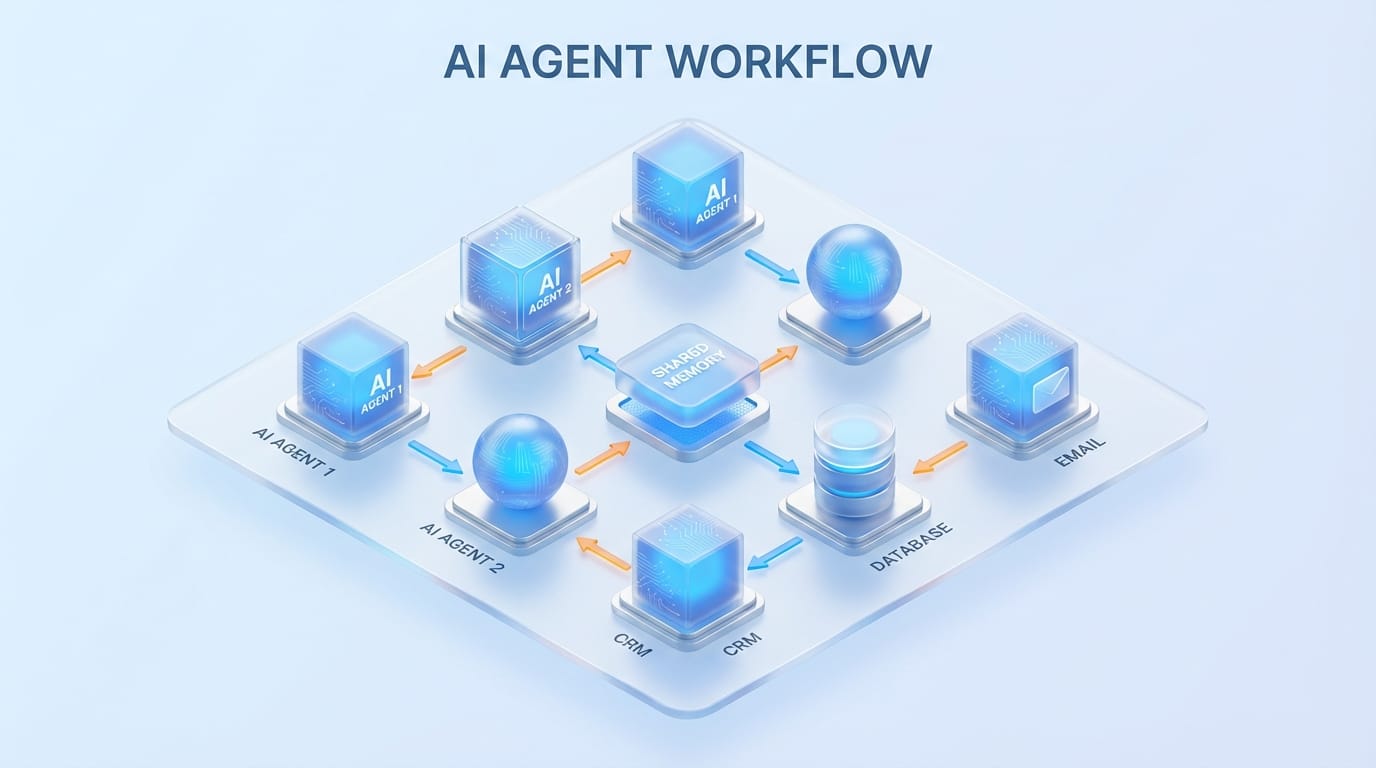
Common myth: “If I want multiple AI agents in n8n, I’ve gotta split them into separate workflows and call them like little microservices.”
Nope. And honestly? That approach is usually the slow, messy way to do it. You can run multiple agents inside one n8n workflow—with shared memory, cleaner orchestration, and way less duct tape. Why make your automation look like a plate of spaghetti when it can look like… a normal plate of food?
The real problem: workflow ping-pong
Calling another workflow sounds neat at first. “Separation of concerns!” you tell yourself. Then reality shows up:
- Context gets lost unless you re-send everything (or rebuild state somewhere else).
- Debugging turns into archaeology across multiple runs and logs.
- Latency stacks up—each hop adds time and failure points.
- You duplicate logic (auth, validation, formatting) because each workflow needs the same plumbing.
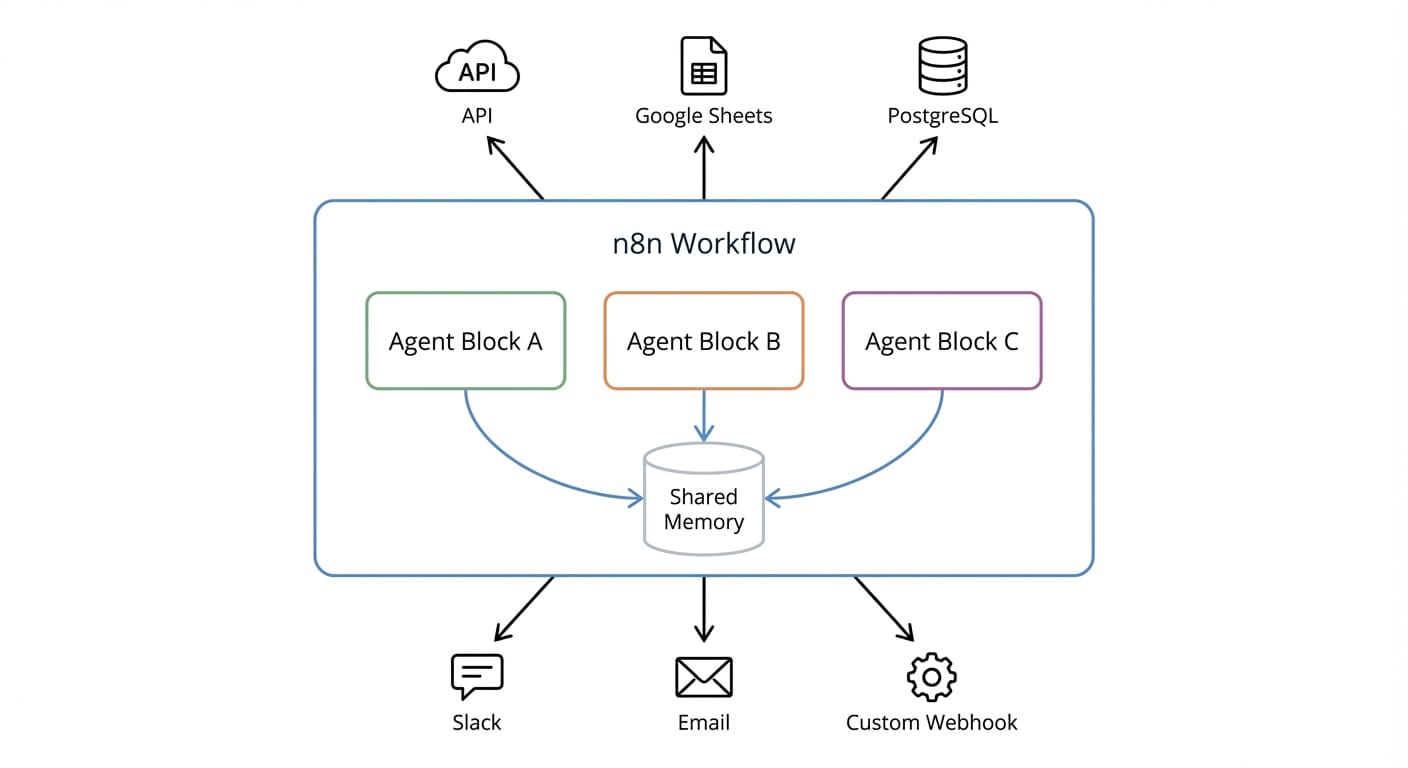
If your goal is a multi-agent system that feels like one “brain” doing a multi-step task, scattering agents into separate workflows is like making a group chat where everyone can only send postcards.
So what does “multi-agent inside one workflow” actually mean?
n8n’s multi-agent setup is basically a set of specialized nodes working together in one canvas. The key pieces look like this:
- Agent nodes: where you define roles (system prompts), model choice, memory config, and output schemas.
- AI nodes: things like classification, summarization, embeddings—aka “AI utilities.”
- Tool nodes: connectors to your real world—CRMs, databases, APIs, Slack, email, etc.
- Code nodes: for transforming data, routing logic, validation, and “glue.”
- Memory nodes: shared context so agent #3 doesn’t act like it just woke up from a nap.
This is the part people miss: you don’t need separate workflows to get separation of duties. You need separation of responsibilities. Agents can be modular without being scattered.
How to coordinate multiple agents (without leaving the workflow)
n8n supports three coordination patterns that cover 95% of real use cases. Pick the one that matches your situation instead of forcing everything into the same shape. (Yes, I’m saying it: most “architectures” are just habits.)
1) Sequential routing (the assembly line)
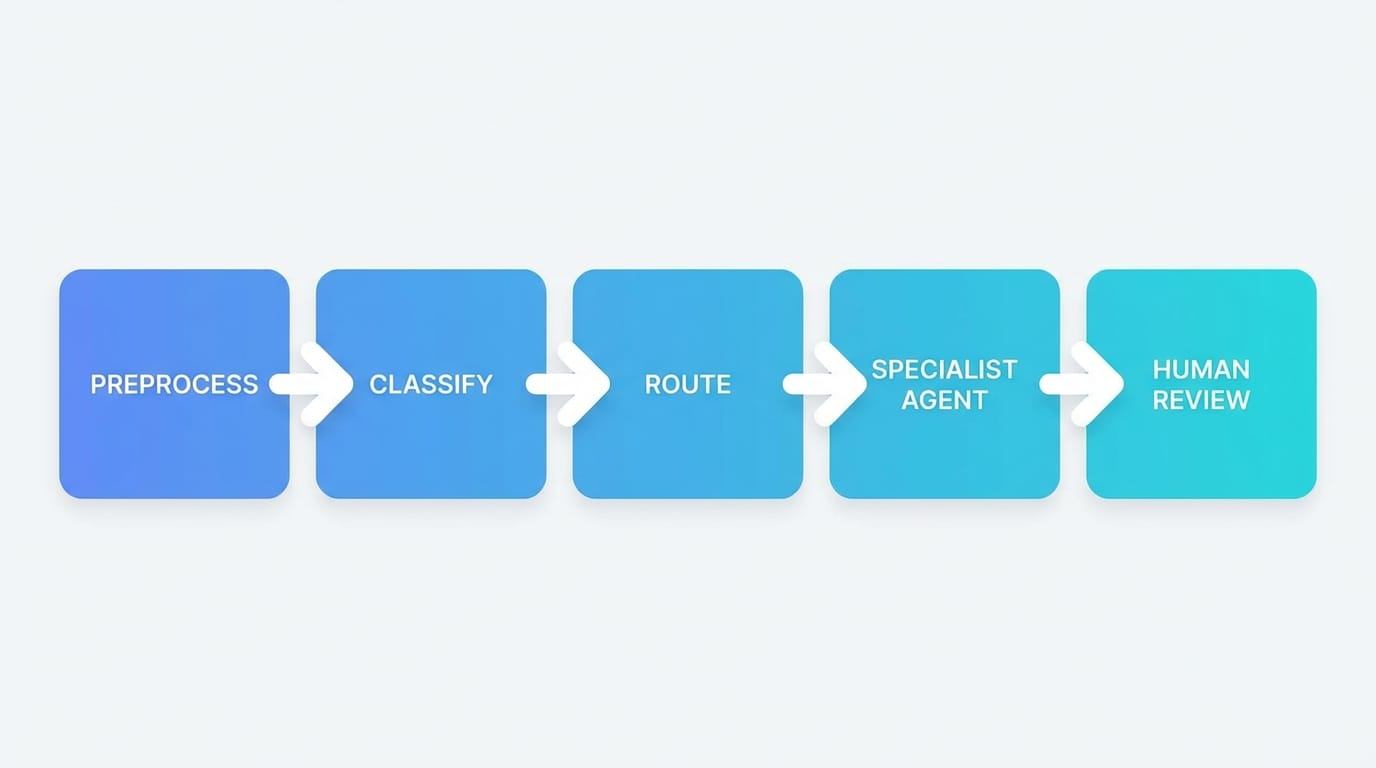
This is the simplest: Agent A does a job, hands output to Agent B, and so on. Think of it like a car wash tunnel.
Great for: support ticket flows, content pipelines, data enrichment.
Example flow:
- Clean/normalize incoming text with a Code node
- Classify intent with an AI node
- Route to a specialist agent (Orders / Policy / Tech Support)
- Generate response draft
- Human review + send
2) Parallel execution (the committee approach)
Sometimes you don’t want one agent to do everything sequentially. You want three agents to attack the problem from different angles at the same time, then merge the results.
Great for: research + summarize, multi-angle analysis, compliance + tone + facts checks.
Real-world analogy: You’re renovating a house. You don’t wait for the painter to finish before calling the electrician. You run workstreams in parallel, then reconcile at the end.
In n8n, this is typically: split into multiple branches → run agents → merge node to combine outputs.
3) Orchestrator pattern (the “boss agent”)
This one’s my favorite when you’re building something assistant-like.
You create a central orchestrator agent whose job is to decide what to do next, and it calls specialist sub-agents as tools. That’s the key: sub-agents are treated like tools the orchestrator can invoke, so you can add/remove capabilities without redesigning the whole workflow.
Great for: chat-based assistants that need to interact with lots of systems (CRM, billing, docs, tickets, internal DBs).
Instead of hardwiring routing logic everywhere, the orchestrator asks: “Is this an order issue, a refund policy question, or a technical bug?” Then it calls the appropriate agent/tool and keeps the thread consistent using shared memory.
The Bottom Line
If you want your automation to feel like one coherent assistant, keep your agents in one workflow and use: sequential for pipelines, parallel for independent tasks, and an orchestrator when things get dynamic.
Case study snippet: e-commerce support without workflow sprawl
Let’s say you run an e-commerce store and your inbox is basically a never-ending escape room.
In a single n8n workflow, you can:
- Receive customer emails
- Use Code nodes to clean and structure the message (order number extraction, language detect, etc.)
- Use an AI node to classify intent (refund, shipping, damaged item, product question)
- Route to specialized agents (Orders agent checks status, Policy agent cites refund rules, QA agent ensures tone + completeness)
- Send draft to a human for approval before replying
Everything stays together. Memory stays consistent. And when something breaks, you’re not chasing five workflows like you dropped your keys in tall grass.
Common mistakes (please don’t do this to yourself)
- One mega-agent that “does it all”: That’s not multi-agent. That’s one agent with burnout.
- No output schema: If your agents return random blobs of text, downstream steps will be fragile. Use structured outputs.
- Forgetting memory boundaries: Shared memory is powerful, but don’t dump everything forever. Store what matters.
- Over-routing with code: If you’re writing a 200-line router, consider an orchestrator agent instead.
Pro Tips Box: what I do in real builds
- Name your agents like teammates: “Classifier,” “Orders Specialist,” “Policy Specialist,” “Quality Checker.” You’ll debug faster.
- Keep each agent’s job painfully specific: one role, one outcome, one format.
- Merge results like a journalist: parallel agents produce bullets; a final agent turns bullets into a clean response.
- Add a human-in-the-loop early: it’s cheaper than apologizing to customers later.
FAQ
Do agents in one workflow share context automatically?
They can, if you use memory nodes correctly. That’s one of the big benefits of keeping everything in-workflow: coherent context across steps and agents.
When should I still call another workflow?
If it’s truly a separate product/service boundary—like a reusable billing workflow used by 12 automations. But for “these agents are collaborating on one task,” keep it together.
Is parallel execution worth it?
If tasks are independent, yes. You can cut total time and get better coverage (like running fact-check + tone-check simultaneously). If tasks depend on each other, sequential is cleaner.
What’s the orchestrator pattern in plain English?
One “manager” agent decides which “specialist” agent to call next, and treats specialists like tools. Less hardcoding, more flexibility.
Why this is getting easier in n8n (2026 updates)
n8n’s newer updates lean into multi-agent workflows with faster orchestration and improved monitoring dashboards that show things like memory usage, agent reasoning, and tool execution in real time—which is exactly what you want when you’ve got multiple AI pieces collaborating. Observability isn’t a luxury here; it’s how you avoid “Why did it do THAT?” moments. (You know the ones.)
Action challenge
Take your current “call another workflow” setup and refactor just one path into a single workflow using sequential routing. Then add one specialist agent and a shared memory node. If it feels cleaner (it will), try the orchestrator pattern next.
Sources
- [1] n8n: Multi-agent orchestration benefits + 2026 monitoring updates (shared memory, faster orchestration, dashboards).
- [2] n8n: In-workflow multi-agent architecture and patterns (sequential routing, orchestrator with sub-agents as tools, modular design).
- [4] Parallel execution pattern: running multiple agents simultaneously and merging results.