n8n AI Agent Memory: Short-Term, Long-Term, and No More Goldfish Bots
n8n AI Agents don’t “remember” by magic—memory is a configurable system using short-term, long-term, session-based, and shared memory. Here’s how it works and how to avoid memory bleed in real workflows.
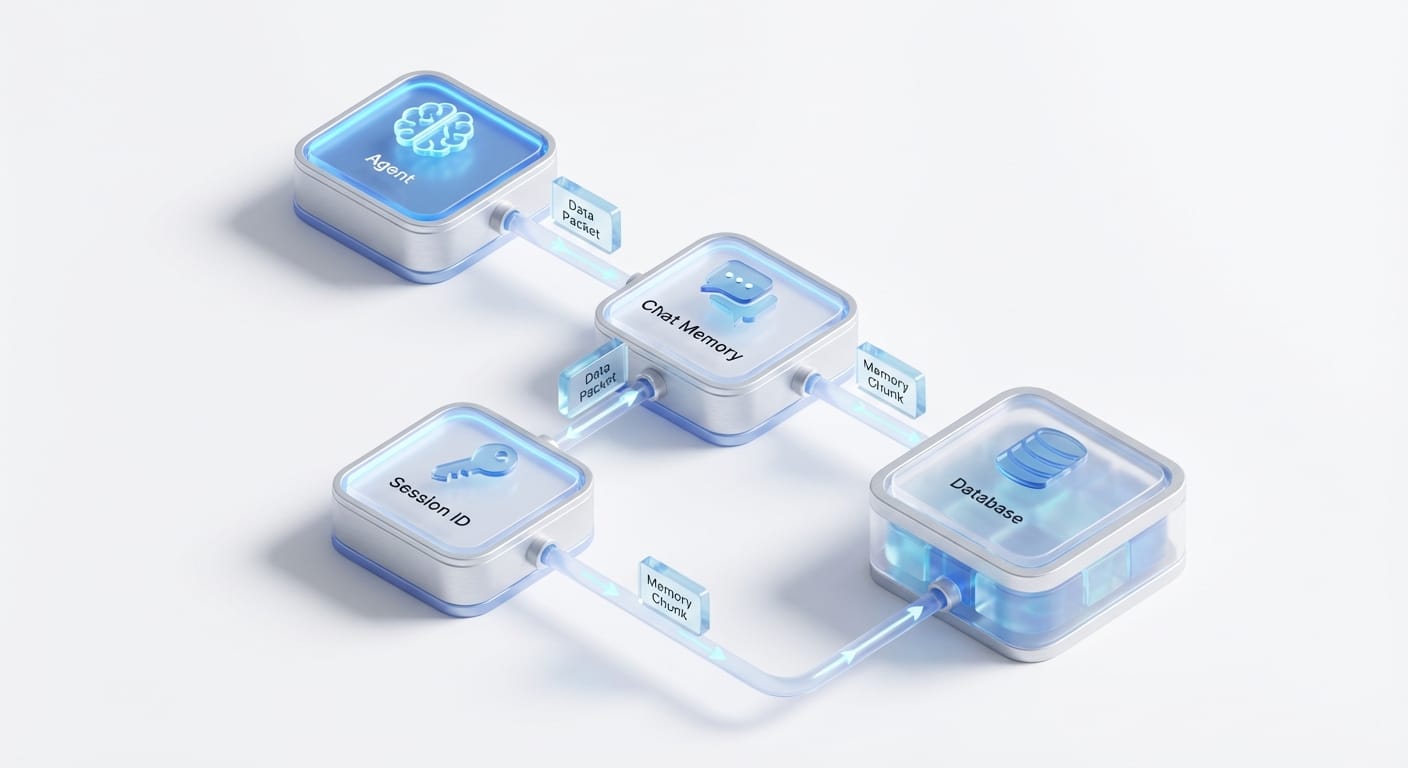
Imagine this: you build an n8n AI Agent that’s supposed to handle customer support… and every time it runs, it acts like you’ve never met. No context. No history. Just vibes. That’s not “AI automation.” That’s a goldfish with an API key.
The good news? n8n actually has a pretty solid memory story—if you set it up the right way. There’s short-term memory (for the current task), long-term memory (for ongoing work), session-based memory (so it remembers per user/run), and even shared memory (so multiple agents don’t contradict each other like a chaotic group chat). Let’s break down how it works in plain English and how I’d set it up in production.
The problem: “smart” agents with zero memory
Most people’s first run with agents goes like this:
- Run 1: Agent sounds brilliant.
- Run 2: Agent forgets everything.
- Run 3: You start threatening to replace it with a Google Form.
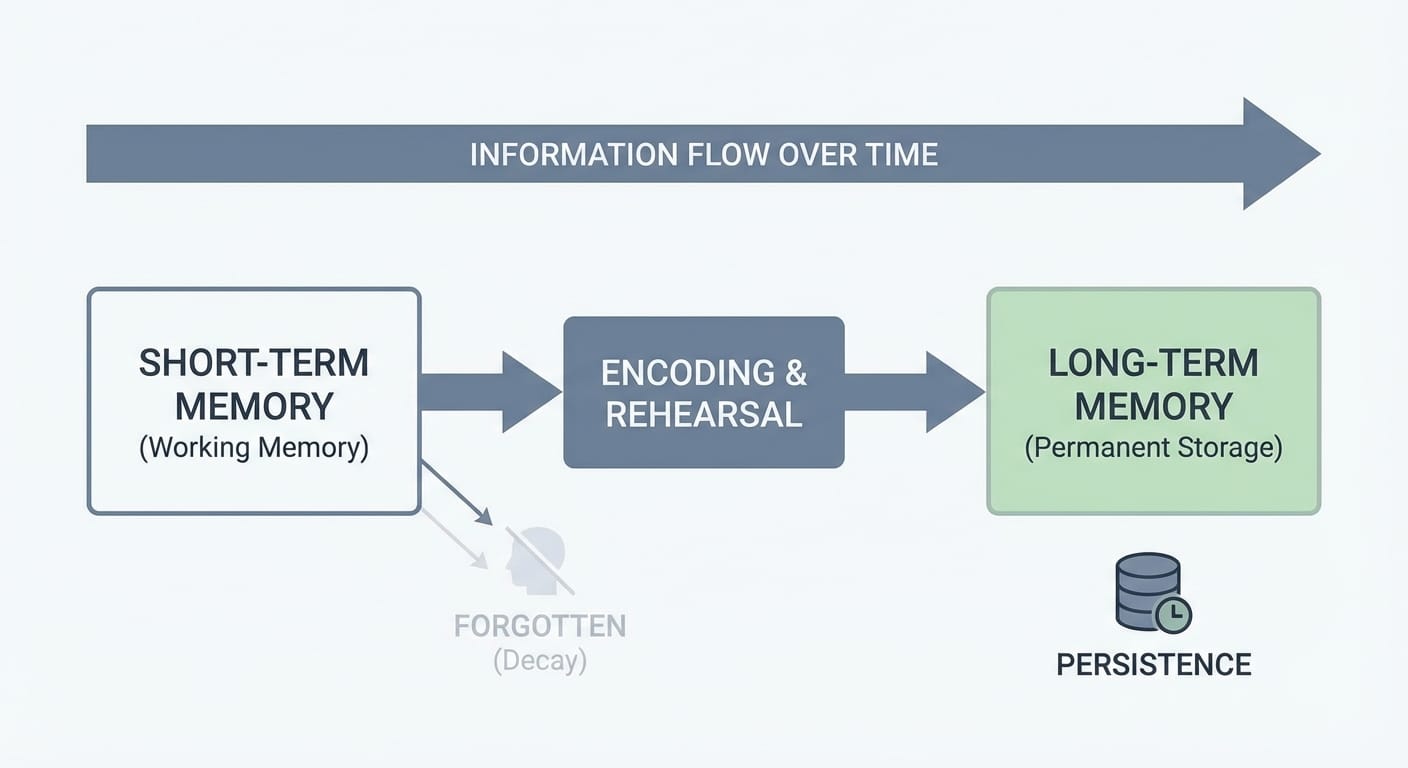
This happens because an LLM doesn’t automatically “remember.” It only sees what you send in the prompt/context window for that run. So memory in agent systems is basically a controlled way to store and retrieve relevant context across steps and across time.
n8n AI agents handle this with built-in memory mechanisms that can be short-term, long-term, session-scoped, and shared across multi-agent workflows, which helps keep decisions coherent across steps and sessions. [1][5][7]
The solution: how n8n manages memory (without making you hate your life)
Think of n8n memory like sticky notes plus a filing cabinet:
- Short-term memory = the sticky notes on your desk for right now.
- Long-term memory = the filing cabinet you can pull from later.
In practice, n8n splits memory into a few useful patterns.
1) Short-term memory: keep the current run coherent
Short-term memory is for the “what are we doing right this second?” part of the workflow. It helps the agent track what it already decided earlier in the same run—so it doesn’t re-ask questions or contradict itself mid-flow.
This is especially useful when your workflow has multiple steps: classify the request, fetch data, draft response, escalate, log the outcome, etc. You want the agent to keep its own chain of thought consistent across those steps. n8n’s built-in approach supports immediate decision-making within a single task/interaction. [1][7]
2) Long-term memory: stop re-learning the same thing every day
Long-term memory is what you use when the workflow needs to remember things across time: ongoing projects, recurring tasks, customer preferences, internal process notes, and the “we already tried that last Tuesday” kind of stuff.
n8n supports long-term memory for ongoing processes and persistent enterprise workflows, which is where agents become genuinely useful instead of “demo cool.” [1][7]
My opinion: if your agent runs more than once a day, you probably want some long-term persistence—otherwise you’re paying for the same reasoning over and over.
3) Session-based memory: remember per user (and avoid Frankenstein context)
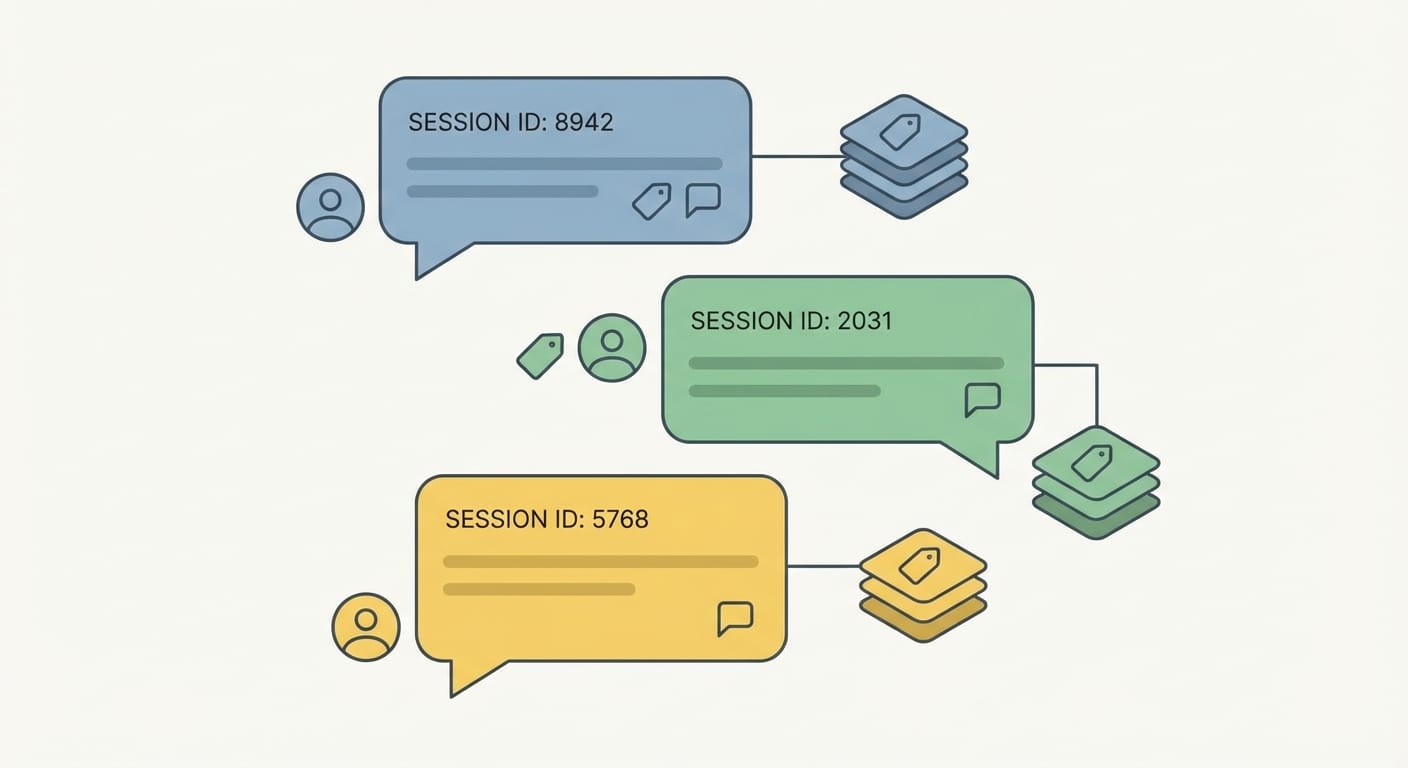
Session memory is the real “aha” for most folks. Instead of one big memory blob for everyone, you keep separate memory threads keyed by a session ID. That could be a user ID, a chat thread ID, an email sender, a ticket number—whatever uniquely identifies the conversation.
n8n supports session-based memory configurations (like “simple memory”) so repeated runs don’t feel like groundhog day. The key is using session IDs properly so you don’t mix test and production data (trust me, you will regret it). [4]
If you’ve ever had a bot remember something from the wrong customer… yeah. That’s “memory bleed” in spirit, even if it’s technically your configuration’s fault.
4) Shared memory: when you run multiple agents and need them aligned
Multi-agent workflows are powerful, but they’re also where things get… spicy.
Example: you have one agent that classifies a request, another that drafts a response, and a third that checks compliance. If they don’t share context, you’ll see contradictions like:
- Agent A: “This is a refund request.”
- Agent B: “Here’s your shipping update.”
- Agent C: “This violates policy because… wait what are we doing?”
Shared memory helps agents in chained or parallel workflows store and reuse prior inputs, outputs, and decisions so the system reasons consistently. [1][2]
One practical pattern I like: a “gatekeeper” agent that routes tasks and writes a clean summary into shared memory. Then sub-agents read that summary and do their specialized job. Hierarchical coordination plus shared memory is a good way to avoid chaos. [1][6]
Where memory is configured in n8n (the “don’t make me hunt for it” section)
In n8n, memory is configured through dedicated nodes and options around your AI Agent setup.
- AI Agent node memory options: You can choose memory types (like “simple memory”) and tie them to session IDs so each run retrieves the right context. [4]
- Chat Memory Manager: A dedicated node to read/write/manage memory and sessions—basically your memory control center. [2][3]
Also, for sub-agents/tools, a super practical approach is: after an agent runs, persist the output to an external store (DB, JSON file, Google Sheets—whatever fits) and retrieve it next run. That gives you reliability for daily workflows and makes memory more auditable than “mystery blob inside the agent.” [3]
Common mistakes (a.k.a. how people accidentally sabotage memory)
- No session ID: Everything goes into one memory pool. Congrats, you invented context soup.
- Reusing test sessions in prod: Your real users inherit your dumb test prompts. Use separate session namespaces or IDs. [4]
- Letting every agent write to shared memory: That’s like giving everyone admin access. Expect “memory bleed” and noisy context. Community users have called this out, and the workaround is separating read/write paths or pulling memory through a separate node for read-only behavior. [2][3]
- Not persisting critical state outside the agent: If it’s important (orders, escalations, approvals), store it in a database. Agents shouldn’t be your system of record.
FAQ
Does n8n memory mean the LLM is training on my data?
No—memory here is about storing conversation/workflow context for retrieval in later steps/runs. Training depends on your LLM provider and settings, but memory is essentially “save and fetch,” not “fine-tune.”
What’s the difference between short-term and long-term memory in n8n?
Short-term helps within a single interaction/run; long-term persists across runs for ongoing projects and recurring workflows. n8n supports both patterns. [1][7]
How do I stop different users from sharing memory?
Use session-based memory with a unique session ID per user/thread/ticket. That’s the simplest way to prevent cross-contamination. [4]
Can multiple agents share the same memory safely?
Yes, but be intentional. Shared memory is great for coordination, but control who can write to it, or you’ll get memory bleed. [1][2][6]
The Bottom Line
- If your agent forgets everything, it’s not “dumb”—it’s just not wired to memory.
- Use session IDs to keep memory per user/run and avoid chaos. [4]
- Use shared memory for multi-agent coordination, but restrict writes to avoid memory bleed. [1][2]
Action challenge: do this today
Pick one workflow you run repeatedly (support triage, lead qualification, incident reporting—whatever). Add session-based memory with a real session ID, then log the agent’s summary to an external store after each run. Tomorrow, pull it back in and see the difference.
Once you’ve felt an agent that actually remembers… you won’t go back.
Sources
- [1] n8n Guides/Docs (2026): AI agents memory, context preservation, dashboards (referenced in provided research data).
- [2] n8n community + docs references: shared memory patterns, read-only workarounds, memory bleed notes (provided research data).
- [3] n8n node documentation references: Chat Memory Manager usage, external persistence recommendations (provided research data).
- [4] n8n AI Agent node guidance: “simple memory” + session ID handling; avoid mixing test/prod sessions (provided research data).
- [5] n8n AI agents overview: memory mechanisms across steps/sessions, tool use (provided research data).
- [6] Multi-agent orchestration best practices: hierarchical coordination and guardrails (provided research data).
- [7] Memory concept: short-term vs long-term for coherent decision-making across tasks (provided research data).