MCP in Claude Code just got 10x faster — here’s why you’ll actually feel it
MCP being 10x faster in Claude Code isn’t a benchmark flex—it changes how you iterate, verify, and refactor. Here are five practical ways to turn the speed boost into real shipping momentum.

Ever had your AI coding flow feel like it’s “thinking”… when it’s really just waiting? Like you ask for a refactor, it reaches out to tools, and you’re sitting there watching the spinner do its little interpretive dance. Yeah. That’s the stuff that quietly kills momentum.
So when I say MCP is now 10x faster in Claude Code, I don’t mean “cool benchmark, anyway.” I mean: fewer stalls, tighter feedback loops, and a real shot at staying in that precious shipping mode where your brain is actually on your side.
The problem: tool latency breaks the spell
Let’s keep it simple. MCP (Model Context Protocol) is the plumbing that lets Claude Code talk to external tools—file systems, repos, package managers, internal APIs, you name it. Tool calls are where the “agentic” magic happens… and also where everything can bog down.

And latency isn’t just annoying—it’s expensive:
- You lose context (what was I about to do again?)
- You stop iterating (I’ll run it later…) which turns into never
- You trust the system less (and start doing everything manually)
It’s like cooking with a stove that takes 60 seconds to respond every time you turn a knob. Technically it works. Practically? You’re ordering takeout.
The solution: 10x faster MCP makes Claude Code feel like it's running “local”
When MCP gets faster, Claude Code gets better in a way that’s hard to capture in a single chart. It’s less “AI assistant you consult” and more “pair programmer who keeps up.”
Here’s what changes in real life:
- More tool calls per minute without it feeling like death-by-waiting
- Shorter debug loops (read logs → patch → re-run → repeat)
- More confidence doing bigger refactors because checking work is cheap
And if you’re thinking, “Okay Marty, but why should I care about the plumbing?”—because the plumbing is the difference between a helpful demo and something you actually use for hours.
5 practical ways to take advantage of faster MCP (today)
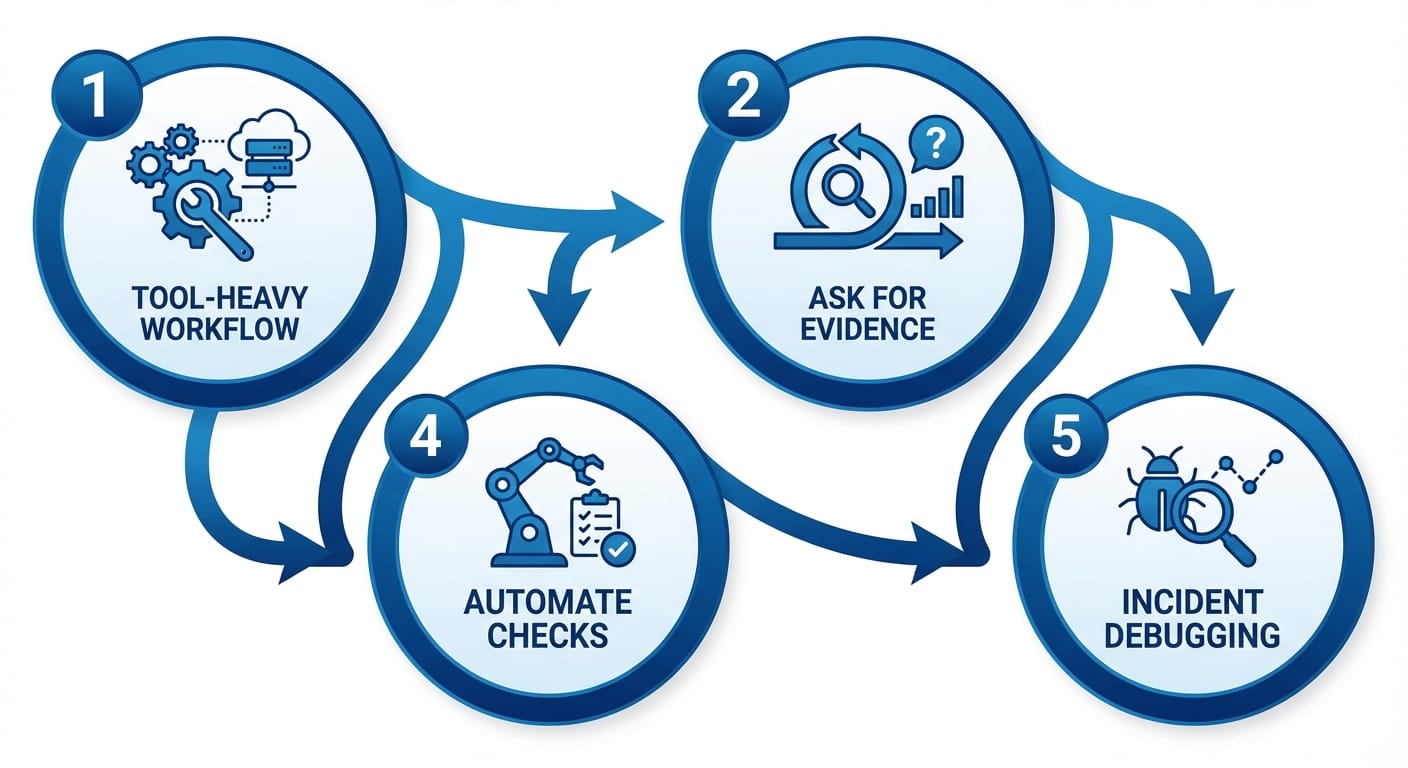
Speed improvements are only useful if you change how you work. Here are five tactics I’d personally lean into now that MCP is snappier in Claude Code:
- Make your workflow more tool-heavy (on purpose) If tool calls were slow before, you probably minimized them. Now? Let Claude inspect the repo, search configs, read tests, and verify assumptions. Don’t play telephone—let it look.
- Run “micro-iterations” instead of big-bang changes The winning pattern is: small edit → run/check → small edit → run/check. Faster MCP means less penalty for being cautious, which usually means fewer bugs shipped.
- Ask for evidence, not vibes My favorite prompt style is: “Show me the file + line numbers where you’re changing things.” Fast tool access makes that easy—and it dramatically cuts hallucinated confidence.
- Automate the boring checks you keep skipping You know the ones: formatting, linting, type checks, quick unit tests. If MCP makes those checks faster to orchestrate, you’ll actually do them instead of saying “I’ll clean it up later.” (Spoiler: you won’t.)
- Use Claude Code for incident-mode debugging When something’s on fire, speed matters. Faster tool calls can mean quicker log parsing, faster grepping across repos, and tighter hypothesis testing.
Pro Tips Box
Pro tip #1: Keep a “verification prompt” snippet handy: “Before editing, list the files you’ll touch and why.” You’ll catch bad plans early.
Pro tip #2: Prefer commands/tools that return structured output (JSON, test summaries). Claude can reason over it faster and with fewer mistakes.
Pro tip #3: If you’re doing a risky refactor, ask Claude to generate a rollback plan first. Faster MCP makes it painless to map dependencies.
Common mistakes (don’t do this)
- Mistake: Treating speed as permission to stop reviewing. Reality: Speed should increase verification, not reduce it.
- Mistake: Turning every request into a giant multi-step mission. Reality: Faster loops win. Break work into chunks that can be validated.
- Mistake: Assuming “10x faster” means “safe.” Reality: It’s still a powerful tool touching real code. Guardrails matter.

Case study snippet: the refactor you used to avoid
Let’s say you’ve got a Node/TypeScript service with a mess of duplicated validation logic. You want to centralize it, update tests, and ensure you didn’t break request handling.
In the old world (read: slower tool calls), you might ask Claude for a plan, then manually do the rest because waiting on repeated file reads and test runs feels like wading through mud.
With faster MCP, you can actually do the “good engineering” version:
- Claude scans the repo for all validators
- Proposes a common module + migration steps
- Updates call sites incrementally
- Runs unit tests after each chunk
- Flags edge cases it saw in existing tests
That’s not just faster. That’s less scary. And in my book, “less scary” is how real refactors finally happen.
FAQ
Is MCP the same thing as function calling?
Similar vibe, different layer. Function calling is a model feature; MCP is a protocol that standardizes how tools expose capabilities and how the model interacts with them. Think “universal adapter.”
Will 10x faster MCP reduce token usage?
Not directly. But it can reduce wasted back-and-forth because you can verify faster and avoid long speculative conversations.
Does speed matter if my prompts are the bottleneck?
Yes—because better prompts usually involve more verification (reading files, running tests, checking outputs). Faster MCP makes “being careful” cheaper.
Is this relevant outside coding?
Totally. Any tool-using AI workflow—data pulls, content pipelines, ops runbooks—benefits when tool calls don’t drag.
Why this matters right now (bigger picture)
Here’s my take: we’re heading into a year where governments and institutions are under real stress—wars grinding on, protests escalating, and policy whiplash at home. You can see it in the headlines: Ukraine facing brutal infrastructure attacks during a harsh winter, Iran protests met with deadly crackdowns, and the U.S. ramping up immigration enforcement while pushing massive funding increases for Homeland Security and ICE. These things aren’t abstract—they shape budgets, hiring, security posture, and the kind of software people rush to build under pressure. Sources: UN reporting on Ukraine and broader conflict dynamics [1], reporting on Iran protests and deaths [2], and U.S. policy/funding developments [3].
In chaotic environments, teams don’t magically get more time. They get less. So tools that make engineers faster without getting sloppy are a competitive advantage.
Summary Bullets
- Faster MCP means Claude Code can use tools without killing your momentum.
- You’ll feel it most in debug loops, repo exploration, and verification-heavy tasks.
- Change your habits: do more micro-iterations, demand evidence, automate checks.
- Don’t confuse speed with safety—use the speed to validate more, not less.
Your move: pick one annoying workflow this week (tests, linting, repo audits, refactors) and intentionally make it more tool-driven in Claude Code. If the loop feels tight, keep going. If it doesn’t, tune your prompts until it does.
Sources
- UN / relief reporting on Ukraine humanitarian emergency, infrastructure attacks, and broader conflict risk context (late 2025–Jan 2026).
- Reporting on Iran protests, casualties, internet blackout, and international reactions (Jan 2026).
- Reporting on U.S. government funding package, DHS/ICE funding increases, and immigration policy actions (Jan 2026).