Google Antigravity: the “feature” that doesn’t exist (and what to use for real automation)
Google Antigravity isn’t a real Google product—it’s an old prank. But Google absolutely can help you automate real work using tools like Apps Script, Sheets, Forms, and Gmail filters.
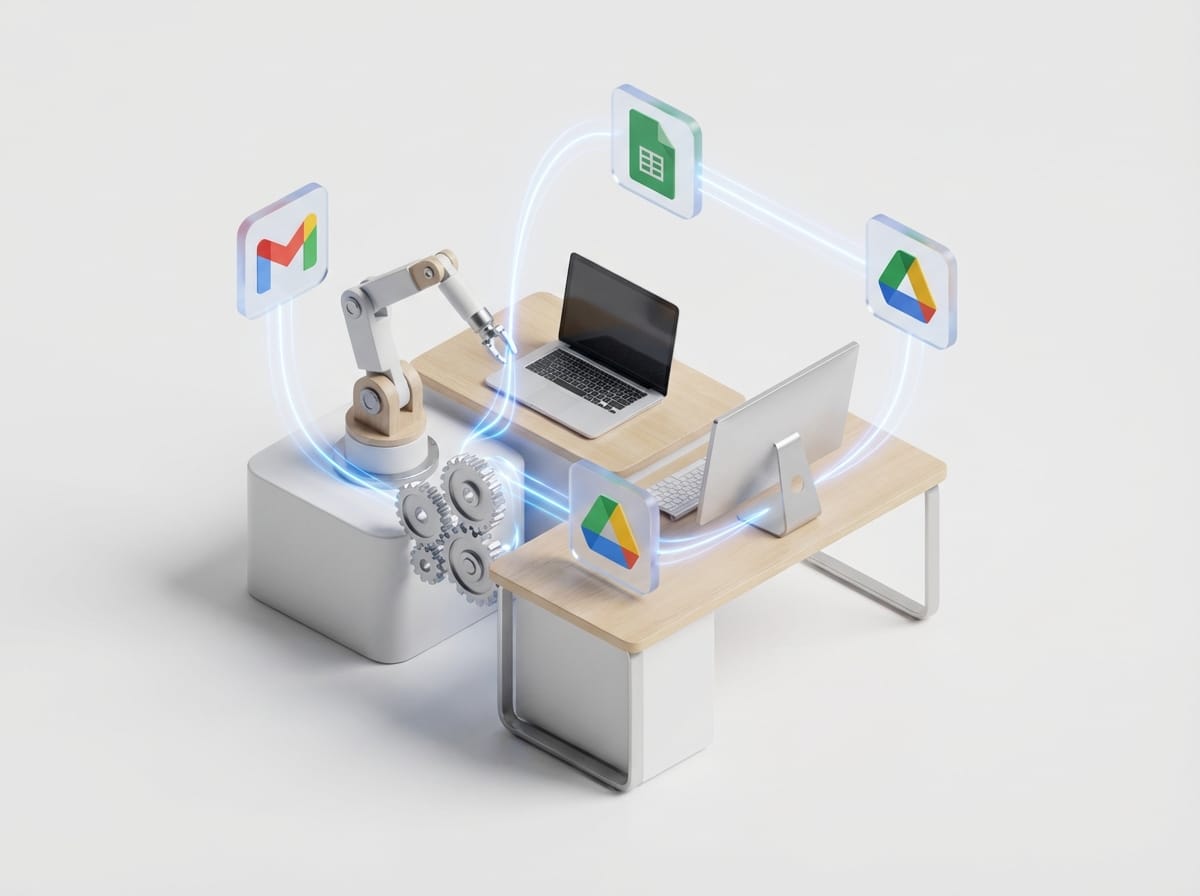
Ever heard someone say, “Just use Google Antigravity for that” and you thought… wait, did Google really invent anti-gravity and I missed the press release?
Yeah, you didn’t miss anything. Google Antigravity isn’t a real product. It’s an old Google joke that’s still floating around the internet like a zombie meme that refuses to die. But here’s the fun part: even though it’s fake, the question behind it is legit—“How can Google help me automate stuff?” That part? Very real.
The problem: you want automation, but you’re drowning in buzzwords
If you’re trying to automate your work (emails, reports, lead routing, file organization, whatever), you’re probably dealing with:
- Too many tools (“Should I use Zapier? Make? Apps Script? A robot army?”)
- Too many half-answers (“Just add AI!” — cool, but add it where?)
- Too much confusion around what’s actually built into Google vs. third-party add-ons
And then someone drops “Google Antigravity” like it’s a hidden setting in Gmail. Spoiler: it’s not. So let’s clean this up.
So what is Google Antigravity?
It’s an April Fools’ joke from Google. Back in the day, Google published prank pages and fake product announcements on April 1. “Google Antigravity” was one of those classic gags—part of a tradition of Google April Fools jokes. (And honestly, they used to be pretty good.)
If you’ve seen a page that looks “official,” that’s because the prank was hosted on Google domains at the time, and copies/screenshots still circulate today. But to be super clear:
- No, Google doesn’t have an “Antigravity” tool.
- No, it won’t help you automate anything.
- Yes, the name is hilarious in a nerdy way.
What you actually want: Google-powered automation that’s real
Here’s my take: if you live in Gmail/Sheets/Docs/Drive, Google is quietly one of the best automation ecosystems around. Not because it’s flashy—but because it’s everywhere.
Let’s walk through the practical stuff you can do today.
7 real ways Google helps you automate (no levitation required)
- Google Apps Script: automate anything inside Workspace Apps Script is basically JavaScript that can control Google Sheets, Gmail, Drive, Calendar, Forms… the whole gang. Think of it like giving your spreadsheet a little brain. Example: “When a new row hits this Sheet, email the customer, create a Drive folder, and ping Slack.” You can do that.
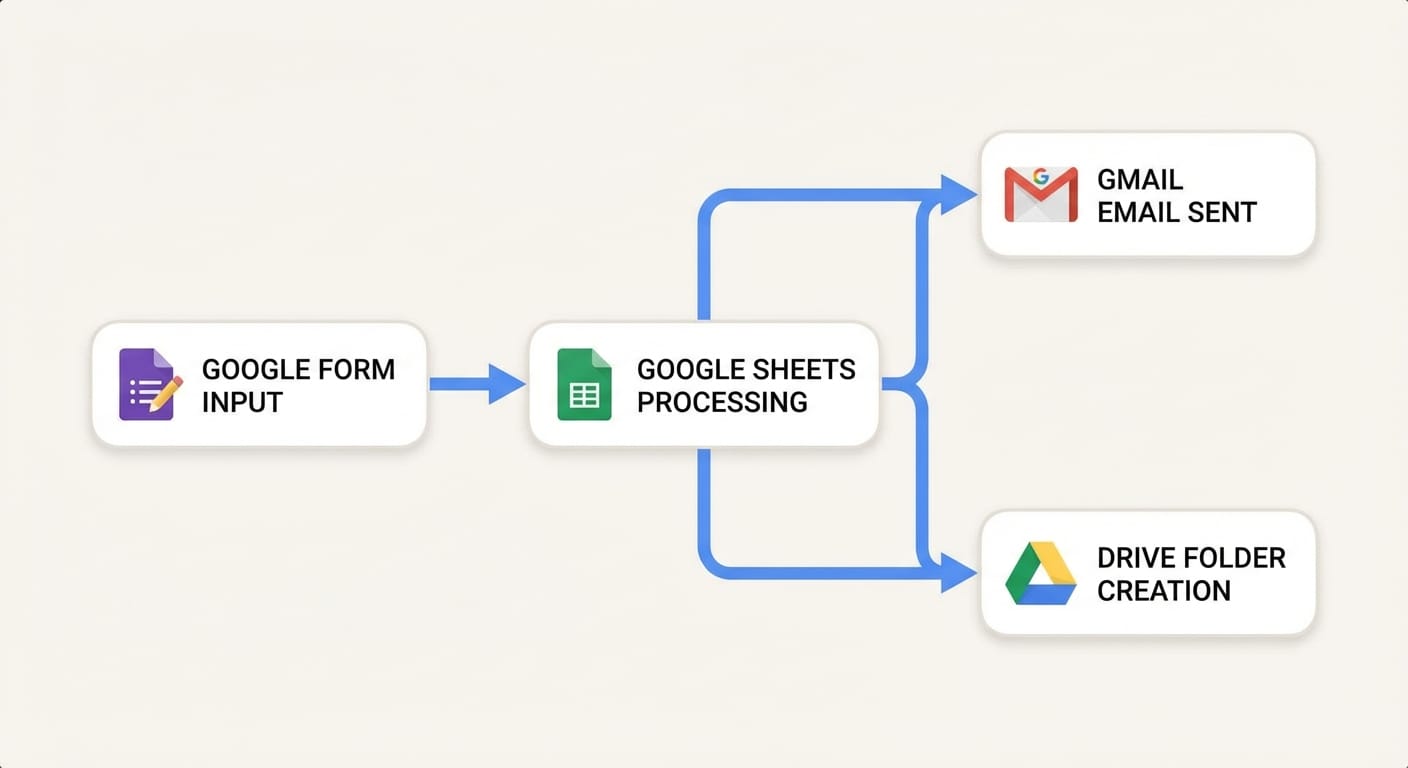
- Google Sheets as an automation hub Sheets is the duct tape of modern operations. People use it as a lightweight database, a queue, a dashboard, and a trigger point for workflows. Example: Form submissions → Sheet → automated email + task creation.
- Gmail filters + templates: tiny automations that add up Not every automation needs a workflow builder. Gmail filters can auto-label, auto-archive, auto-forward. Templates can speed up repetitive replies. Is it sexy? No. Does it save you hours? Yep.
- Google Forms → instant structured intake If you’re still collecting info via “just email me the details,” I’m begging you: stop. Forms creates clean, consistent inputs and drops them right into Sheets.
- Google Drive organization rules (and shared drives) for sanity Drive isn’t just storage. With consistent folder structures + permissions, you reduce the “where is that file” chaos. Pair that with Apps Script or a third-party tool and you can auto-create project folders, name files, move things, etc.
- Google Calendar + scheduling automation Between appointment scheduling links and integrations, you can automate reminders, follow-ups, and meeting prep.
- Google APIs: when you want to go full power-user When Apps Script feels limiting, Google’s APIs let you build deeper automations—often through your own app, a serverless function, or a tool like Make/Zapier/n8n.
Myth vs Reality
- Myth: “Google has a magic automation button.”Reality: Google gives you powerful building blocks—you decide the workflow.
- Myth: “Automation means AI.”Reality: Most automation is boring stuff like moving data, sending messages, and creating files. (That’s where the ROI is.)
- Myth: “If it’s not code-free, it’s not worth it.”Reality: A little code (like Apps Script) can replace 5 subscriptions and a weekly headache.
Common mistakes (don’t do this)
- Automating a messy process. If the workflow is chaos, automation just makes chaos happen faster. Clean it up first.
- Starting with the hardest workflow. Pick a small win (like auto-filing invoices) before you try to automate your entire business.
- Not tracking ownership. If nobody owns the automation, it breaks quietly and you find out three months later when everything’s on fire.
Pro Tips (the stuff I actually do)
- Use Sheets as the “source of truth” for lightweight ops. It plays nicely with everything.
- Name your automations like you name files: clearly. “Lead Follow-up v2” beats “Test Zap (Final)”.
- Add a “Last ran successfully” cell in Sheets if you’re using Apps Script. Future-you will thank you.
- Keep a kill switch. A checkbox that disables the automation can save you from emailing 2,000 people by accident.
FAQ
Is Google Antigravity a Chrome experiment or hidden setting?
Nope. It’s a long-running April Fools gag that people still reference.
What’s the easiest Google automation for beginners?
Google Forms → Google Sheets → Gmail template replies (or a simple Apps Script email trigger). Low risk, high payoff.
Do I need Zapier/Make if I have Google Apps Script?
Depends. If you want speed and no-code integrations, Zapier/Make are great. If you want control and lower recurring cost, Apps Script is a beast.
Can Google help automate across non-Google apps?
Yes—via APIs, webhooks, or third-party automation platforms that connect to Google Workspace.
Sources (aka: yes, I did my homework)
- Google Workspace Developers — Apps Script overview: https://developers.google.com/apps-script
- Google Workspace Admin Help — Gmail filters: https://support.google.com/mail/answer/6579
- Google Developers — Google Sheets API: https://developers.google.com/sheets/api
- Wikipedia — Google April Fools’ Day jokes (context for pranks like “Antigravity”): https://en.wikipedia.org/wiki/Google%27s_April_Fools%27_Day_jokes
Action challenge
Today, pick one annoying, repetitive task you did in the last week and ask: “Could Google Forms or Sheets be the intake for this?” If yes, sketch the workflow in 3 boxes (Input → Logic → Output). If you can draw it, you can automate it—no antigravity required.