Google Gemini’s “Silent” Upgrades: The Stuff You Missed While Checking Email
Google quietly shipped a wave of Gemini upgrades—Personal Intelligence, a revamped Chrome assistant, Auto Browse, Agentic Vision, and more. If you’re still using Gemini like a basic chatbot, you’re missing the best parts.

Have you noticed how Google will casually ship something that changes your workflow… and then basically whisper about it?
Here’s the thing… in the last few weeks, Gemini picked up a bunch of new capabilities that feel less like “new features” and more like “oh cool, my AI assistant just got a promotion.” The biggest one is Personal Intelligence (beta), but there are a few other stealthy upgrades that matter if you live in Gmail, Chrome, Calendar, Photos, or if you build anything with the Gemini API.
The real problem: AI is only “smart” if it knows your context
Most AI tools are like that really bright friend who shows up late to the meeting. They’re brilliant, but they missed the first 20 minutes—so you spend half your time re-explaining everything.
Google’s recent Gemini releases are clearly aimed at fixing that: more context, more app connectivity, and more agent-like behavior. Quietly. Incrementally. And honestly? That’s how the useful stuff usually ships.
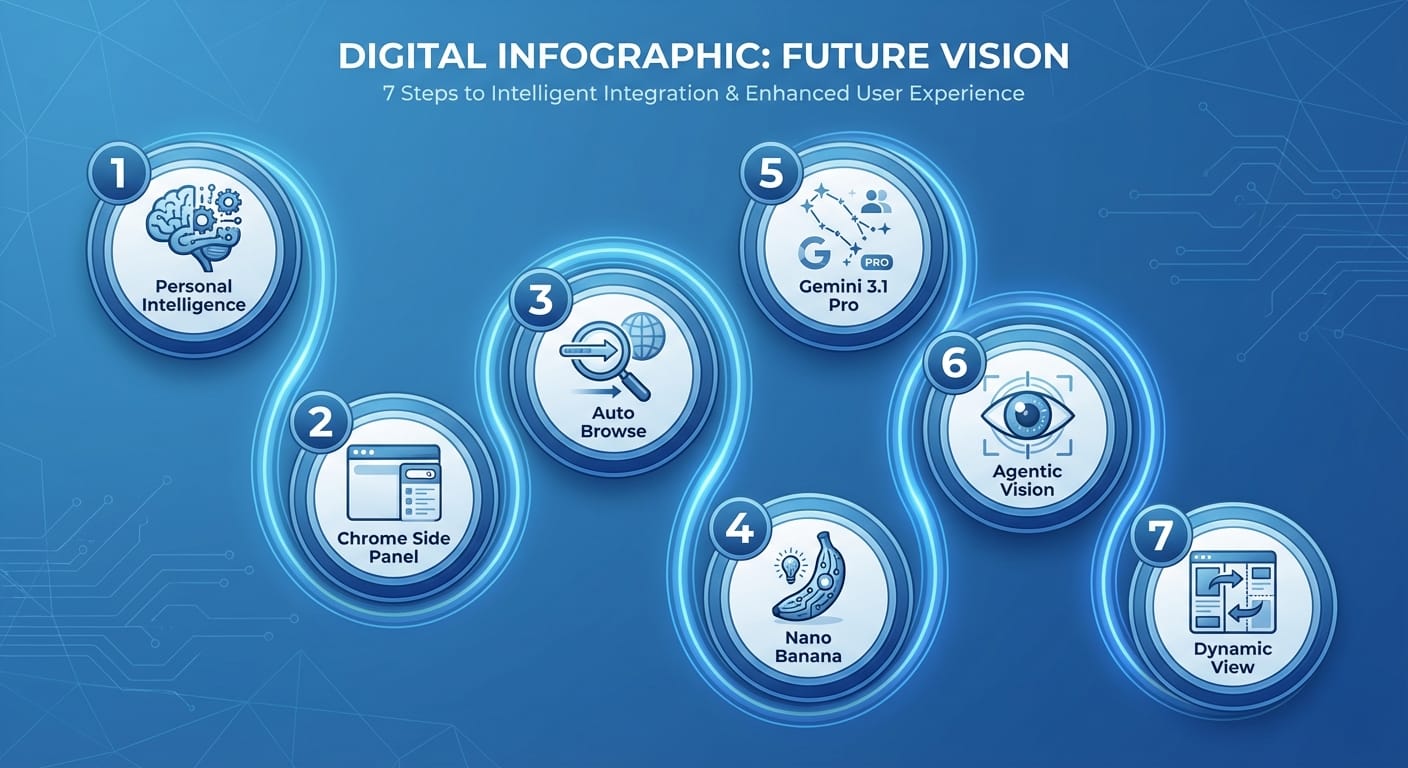
7 Gemini features that quietly changed the game
I’m going list-style here because these are distinct “oh wow” upgrades, and you’re probably going to want to test at least two of them today.
- Personal Intelligence (beta): Gemini that actually knows you Look, I’ll be honest… “personalized AI” is usually marketing fluff. But Personal Intelligence is the real deal because it plugs into your actual Google life—Gmail, Photos, YouTube, and Search—so Gemini can respond with way better context. Key details: it’s opt-in, and it’s currently available to Google AI Pro and AI Ultra subscribers in the U.S. on web, Android, and iOS. That opt-in part matters because it’s basically you saying “yes, use my data to help me.” Which is powerful… and deserves a deliberate click. Practical use: ask Gemini to summarize open loops from your email, find that document you “definitely saved,” or pull context from prior searches so you don’t have to restate your goal every time.
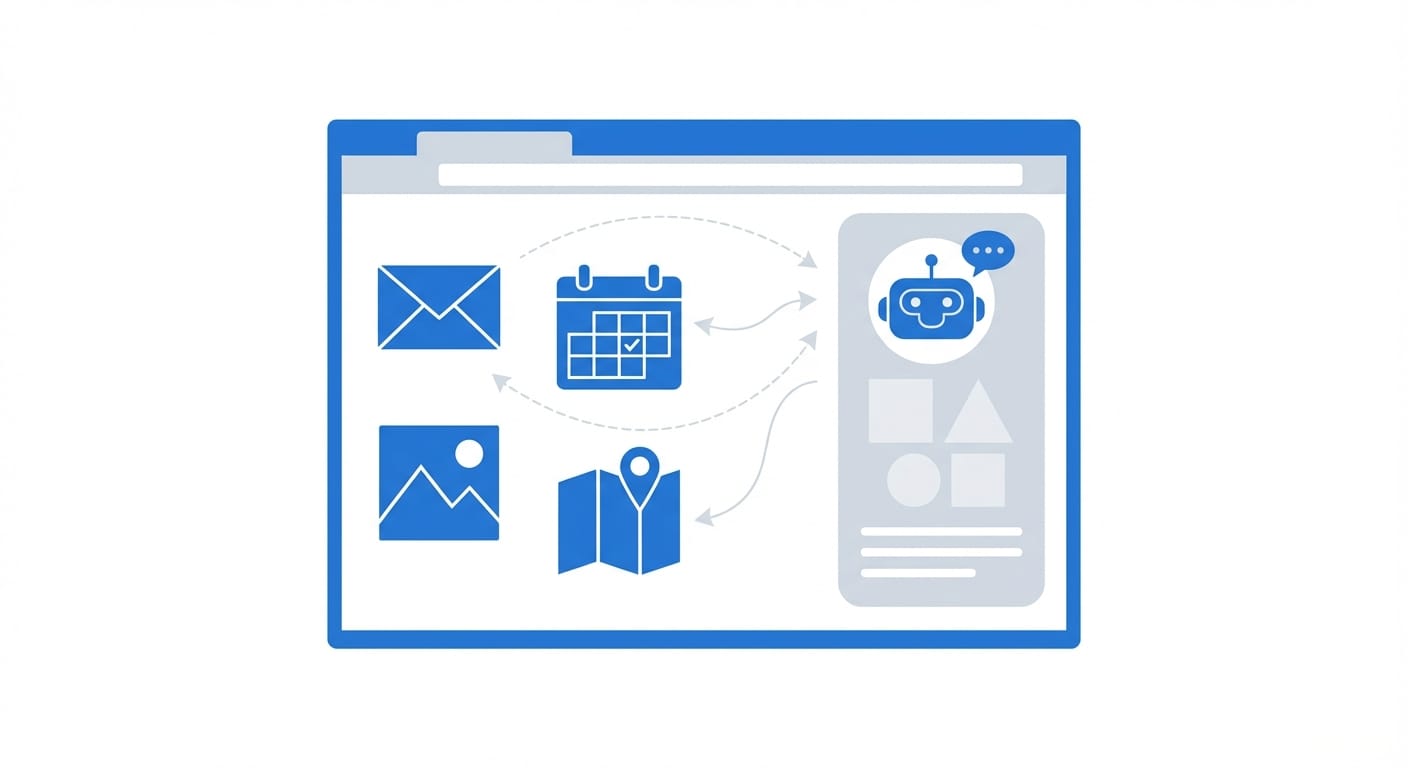
- Gemini in Chrome: the side panel became a command center Chrome’s Gemini side panel got a serious overhaul powered by Gemini 3. And here’s what most people miss: this isn’t just “chat next to your browser.” It’s nudging Chrome toward becoming an execution layer. Auto Browse for multi-step tasks (think booking travel or scheduling appointments)
- Deeper Google app integration (Gmail, Calendar, Maps, etc.) right from the side panel
- Nano Banana integration for creating/editing images without leaving your tab
- Auto Browse: Gemini starts acting like an assistant, not a chatbot Auto Browse is the sleeper hit inside that Chrome refresh. The shift is subtle: instead of you doing step-by-step prompting (“now click this, now find that”), Gemini can handle a multi-step flow. Analogy time: it’s the difference between giving someone a checklist… and handing them the keys and saying, “Go handle it.” My advice: start with low-risk tasks (price-checking, building options, drafting an itinerary) before you trust it with anything that charges your credit card or sends a real email.
- Nano Banana in Chrome: quick image edits without the app-hopping Yes, the name is ridiculous. No, I don’t know who approved it. But the capability is legit: you can create and edit images directly within the Chrome side panel. This matters most for creators, marketers, and anyone making “good enough” visuals for internal docs, slides, thumbnails, or quick mocks.
- Gemini 3.1 Pro: better reasoning + higher limits (quietly huge) For power users, Gemini 3.1 Pro rolling out is one of those “you won’t notice it… until you do” upgrades. Google says it delivers improved reasoning and higher usage limits for Pro/Ultra subscribers, and it’s available across the Gemini app, NotebookLM, and the Gemini API. If you do anything like: complex planning, multi-constraint problem-solving, coding, or long document analysis—this is the model bump you care about.
- Agentic Vision (Gemini 3 Flash): fewer hallucinations by “looking” more Agentic Vision is a big conceptual shift: instead of passively analyzing an image once, Gemini can actively explore details. The goal is to reduce hallucinations by letting the model “inspect” what it needs. In practice, think: zooming in on a label, double-checking a sign, re-reading a small piece of text—basically, acting more like a careful human would. If you build with the API, this is extra interesting because it changes how you design image-based flows: you can lean more on verification instead of one-shot guesses.
- Gemini Labs: Visual Layout + Dynamic View (early, but telling) These are experimental features in Gemini Labs that use multimodal capabilities to produce more visually immersive, modular responses—photos, interactive modules, and layouts you can customize. This is Google hinting at something bigger: the “answer” isn’t always a paragraph. Sometimes it’s a dashboard, a mini-app, or a set of tiles you can poke and refine.
The bottom line is...
Google’s “silent” Gemini releases all point the same way: Gemini is becoming more personal (context), more embedded (Chrome + apps), and more agentic (Auto Browse + Agentic Vision). If you’re still using it like a plain chatbox, you’re leaving a lot on the table.
Quick wins: what I’d try this week
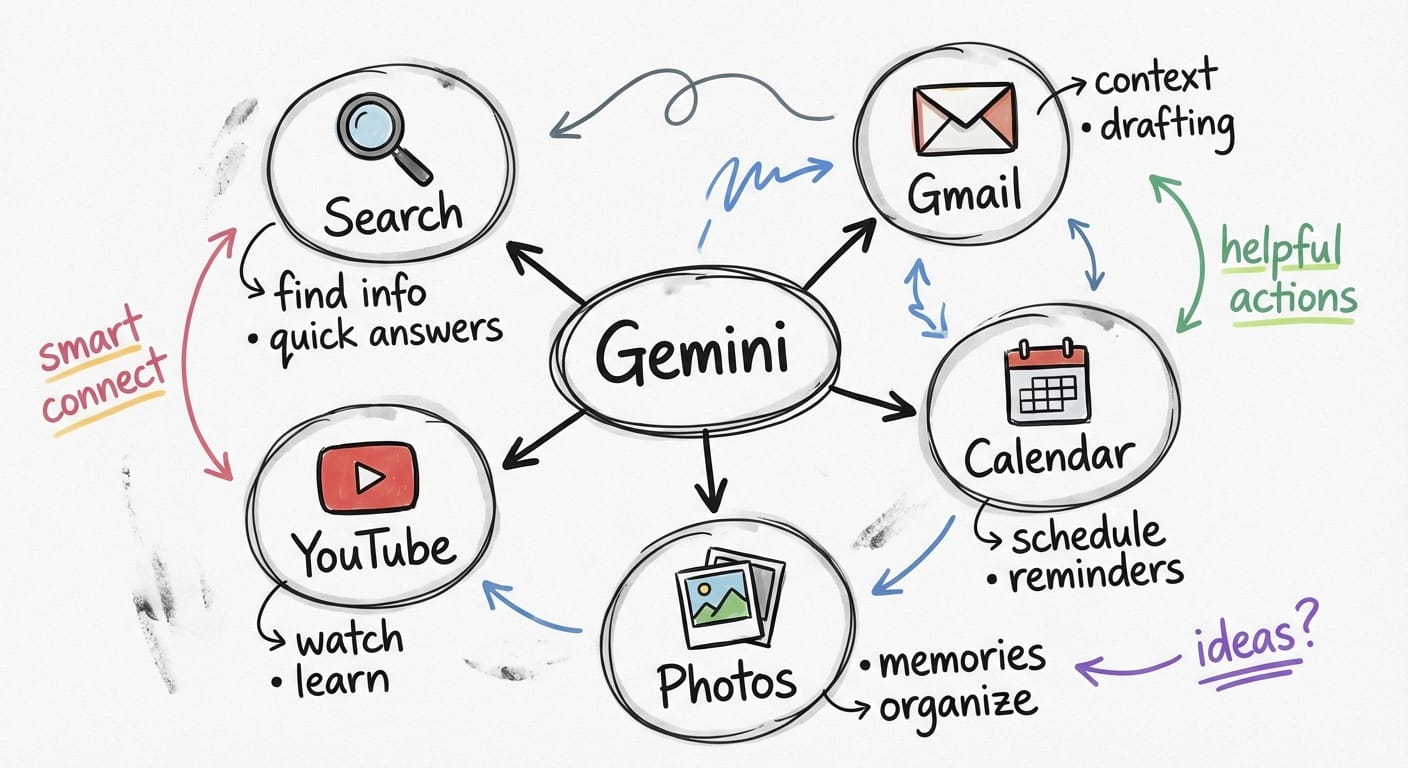
- Turn on Personal Intelligence (if you’re eligible) and ask Gemini to summarize your last 7 days of “open loops.”
- Use Gemini in Chrome for one real task: plan a meeting time, map a route, or draft an email while referencing a web page.
- Test Auto Browse on a “research and shortlist” job (hotels, gear, tools) before you trust it on a purchase.
- If you’re a builder: compare Gemini 3.1 Pro vs Flash in the API for cost/latency vs reasoning depth.
FAQ
Is Personal Intelligence on by default?
No—Google positions it as opt-in, which is the right call for something this personal.
Do I need a subscription for these features?
Some of the biggest ones (like Personal Intelligence and higher limits with Gemini 3.1 Pro) are tied to Google AI Pro or AI Ultra plans, at least right now.
Where can I access Gemini 3.1 Pro?
Google says it’s available in the Gemini app, NotebookLM, and via the Gemini API.
What’s the practical impact of Agentic Vision?
Fewer confident-but-wrong image interpretations. It’s designed to let Gemini inspect details more carefully instead of guessing.
Action challenge
Pick one workflow you do every week—email triage, scheduling, trip planning, creative assets—and try doing it with Gemini’s newest connected/agentic features instead of plain chat. If it doesn’t save you time, turn it off. If it does… you just found your new baseline.
Sources
- [2] Google announcements summarized in provided research data (Personal Intelligence, Gemini in Chrome, Gemini Labs, Flash Thinking connectivity).
- [4] Google announcements summarized in provided research data (Personal Intelligence beta, Agentic Vision, Chrome overhaul details).
- [5] Google announcements summarized in provided research data (Gemini 3.1 Pro reasoning improvements, availability in app/NotebookLM/API).