Claude CoWork: The “buddy system” for getting real work done with AI
Claude CoWork is a simple workflow for using Claude like a real coworker: define done, share context, iterate in rounds, and ship faster. Here’s how it helps with writing, planning, decisions, and reducing busywork—without the AI hype.
Imagine this: you’ve got a task you know you can do—write the doc, plan the sprint, clean up the customer notes—but your brain is acting like it’s on airplane mode. You open a blank page, stare at it, and suddenly you’re three tabs deep into “best keyboards 2026.” Sound familiar?
That’s where Claude CoWork comes in. It’s basically a way to use Claude (Anthropic’s AI assistant) like a coworker—not just a chatbot you ask random questions, but a structured partner that helps you push work across the finish line.
So… what is Claude CoWork, exactly?

Claude CoWork (often written as “CoWork”) is a collaborative workflow style for using Claude where you:
- Define the job (what “done” looks like)
- Give Claude context (docs, notes, constraints, examples)
- Work in rounds (draft → critique → revise → finalize)
- Use roles (“You’re my product manager”, “You’re my editor”, etc.)
It’s not magic, and it’s not mind-reading. Think of it like hiring a sharp contractor: the better your brief, the better the result. If you just say “help,” you’ll get… polite chaos. If you say “here’s the goal, here are constraints, here’s an example,” you’ll get something you can actually use.
Where does this idea come from? Anthropic has been pretty public about designing Claude to be helpful, honest, and harmless, and their product direction has leaned into using Claude for real work: writing, analysis, summarization, coding, and document collaboration. Even if “CoWork” is described in slightly different ways depending on where you see it, the core concept is the same: use Claude as a working partner with structure, not a novelty toy.
The real problem CoWork solves (and why I’m a fan)
Most people don’t struggle because they’re bad at their jobs. They struggle because modern work is a blender:
- too many inputs (Slack, email, docs, meetings)
- too little time for “deep work”
- decisions hiding inside messy information
Here’s my hot, slightly grumpy take: AI isn’t most valuable when it’s “smart.” It’s most valuable when it’s consistent. You can count on it to do the annoying middle steps: organize, outline, rewrite, compare, extract, format, sanity-check.
Claude CoWork helps because it turns “ugh, where do I start?” into “cool, here’s the next tiny step.” And tiny steps compound.
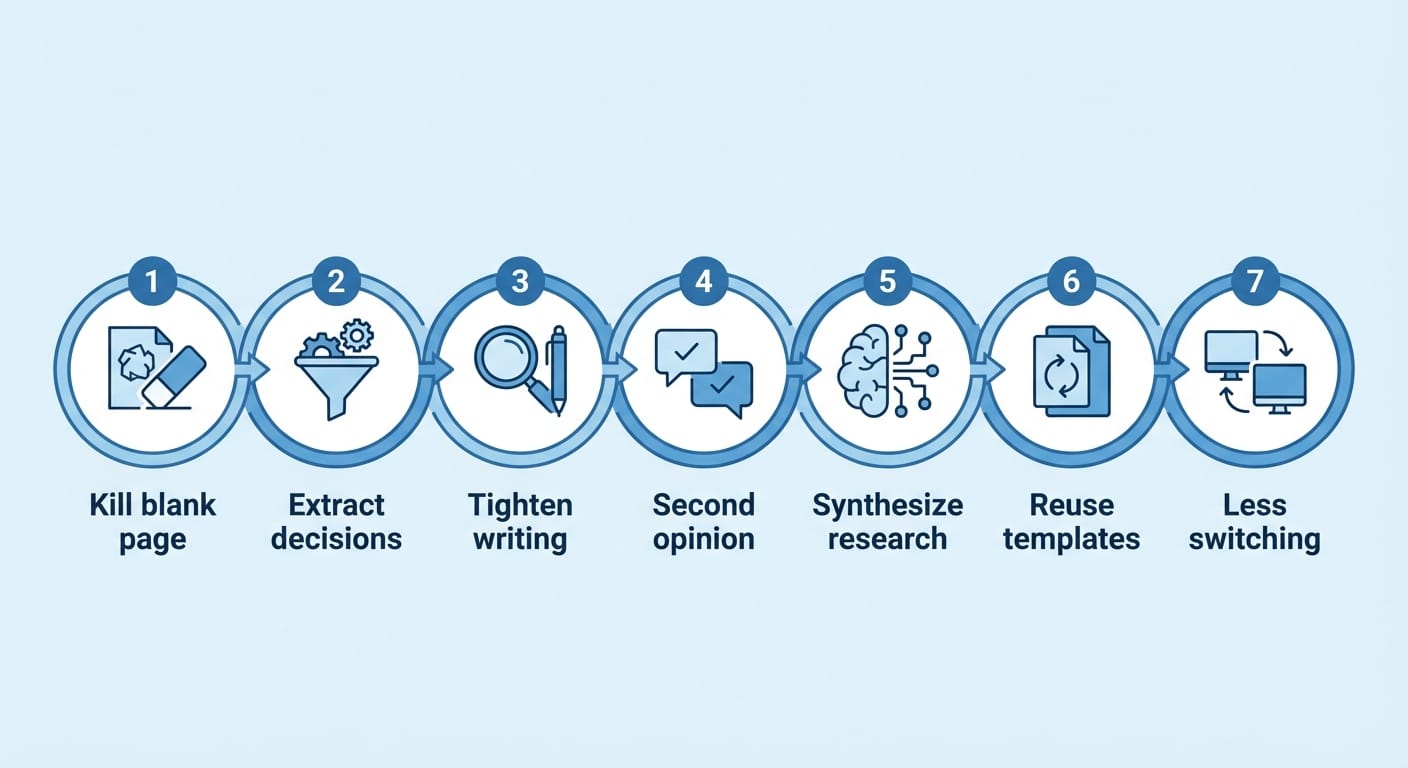
How Claude CoWork helps you (practically), in 7 real ways
- It kills the blank page problem. You start with a messy brain dump. Claude turns it into an outline, then a draft. You’re no longer inventing from nothing—you’re editing, which is easier.
- It turns scattered notes into decisions. Paste meeting notes and ask: “What decisions were made, what’s unresolved, and who owns what?” Claude can extract action items and risks fast.
- It makes your writing tighter without losing your voice. You can tell Claude: “Rewrite this clearer, but keep it blunt and casual.” It’ll usually get you 80–90% there, and you do the final polish.
- It’s a built-in second opinion. Ask: “What am I missing?” or “Argue the opposite side.” This is huge for product plans, strategy memos, and anything where you might be fooling yourself.
- It speeds up research and synthesis. Instead of reading 12 pages, you can have Claude summarize, compare, and pull out implications. (Still verify sources—don’t be the person who ships hallucinations.)
- It helps you build repeatable templates. Once you find a prompt that works (weekly update, incident report, PRD), you reuse it. That’s where productivity actually sticks.
- It reduces context-switching. The best “productivity hack” is fewer mental tab changes. CoWork encourages you to keep the task and the helper in one place and iterate.
Case study snippet: the one-hour PRD that used to take me a day
Let’s say you need a lightweight PRD (product requirements doc). The old way is: stare at blank doc, overthink, write half of it, get interrupted, repeat.
The CoWork way:
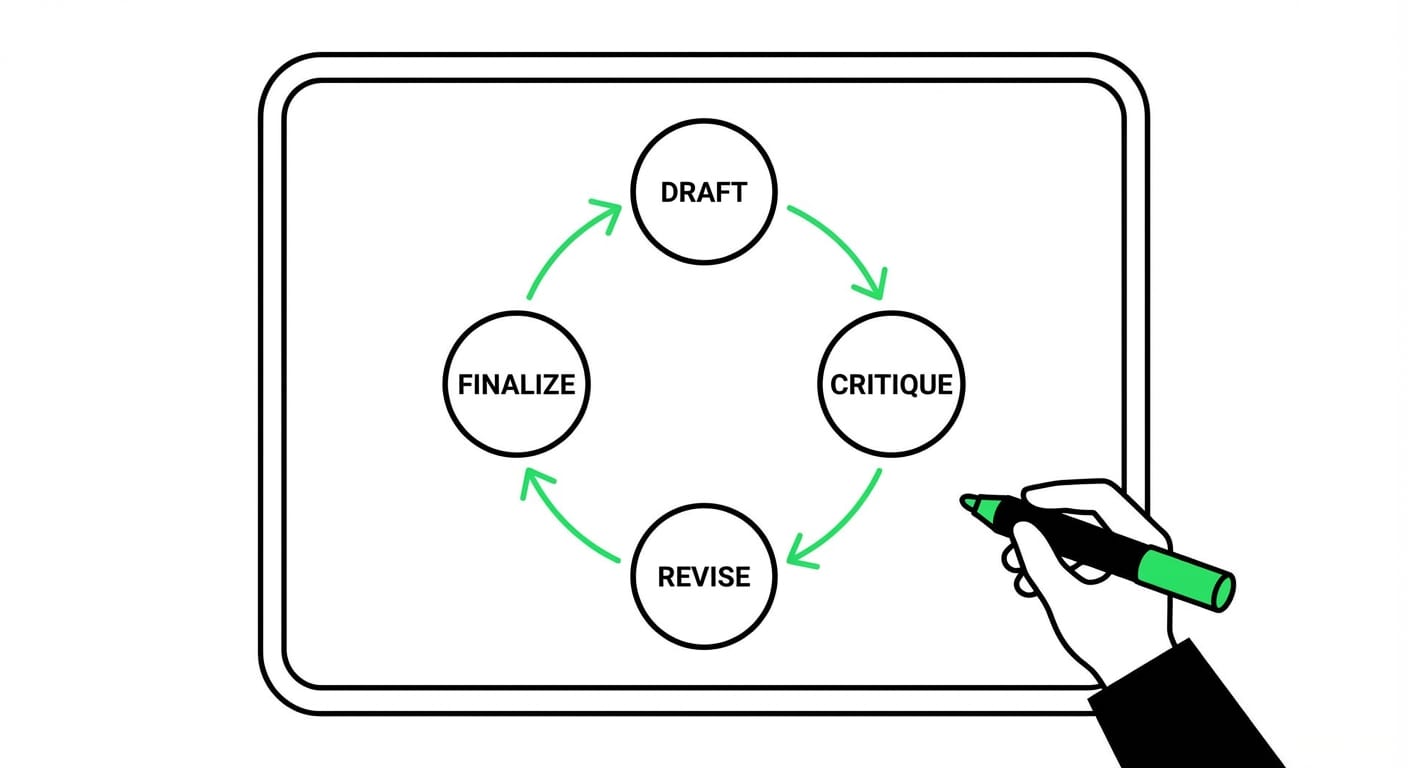
- Round 1: Dump context: goal, users, constraints, timeline, “must not do.”
- Round 2: Ask Claude for a PRD outline with open questions.
- Round 3: Fill answers, have Claude draft sections, then you edit.
- Round 4: Ask for risks, edge cases, and success metrics.
Do you still need taste and judgment? Yep. But you’re not burning cycles on formatting and scaffolding. You’re spending your brainpower where it matters.
Pro Tips (aka: how not to waste your time)
- Start with “Definition of Done.” Example: “A 1-page doc with problem, proposal, risks, and next steps.”
- Give one great example. “Write it like this previous update.” Examples beat explanations.
- Ask for options, not perfection. “Give me 3 approaches and recommend one.”
- Use the ‘critic pass.’ “Review this like a skeptical PM/security lead/editor.”
FAQ: the stuff you’re probably wondering
Is Claude CoWork a separate product?
Usually, it’s more of a workflow pattern—a way of using Claude collaboratively—rather than a totally separate app. The exact features you’ll use depend on where you access Claude (web app, team plan, etc.).
Is it safe to paste company info into Claude?
Depends on your org’s policies and the specific plan/settings you’re on. If you handle sensitive data, use approved tools and follow your company’s AI policy. When in doubt, redact and summarize.
What kinds of work is CoWork best at?
Anything with messy inputs and structured outputs: meeting notes → action plan, ideas → outline, outline → draft, draft → clearer draft.
Will it replace my job?
No. But someone using it well might replace someone who refuses to. That’s the uncomfortable truth.
Sources (so you’re not taking my word for it)
- Anthropic — Claude overview and product direction: https://www.anthropic.com/claude
- Anthropic — Research and safety approach (why Claude behaves the way it does): https://www.anthropic.com/research
- Anthropic — Constitutional AI (background on alignment approach): https://www.anthropic.com/news/constitutional-ai-harmlessness-from-ai-feedback
Try this today (seriously, 10 minutes)
Pick one task you’ve been avoiding and run this mini CoWork script:
- Tell Claude the goal and what “done” looks like.
- Paste your messy inputs (notes, bullets, links, constraints).
- Ask for an outline plus the top 5 open questions.
- Answer the questions quickly (even rough answers).
- Ask for a draft, then do one edit pass yourself.
If you do that once, you’ll feel the difference: you’re not “talking to AI.” You’re working with it. And that’s the whole point.