Claude Code Tasks: the least annoying to‑do list you’ll actually use
Claude Code Tasks turn “I should do this” into structured Markdown task files using plain English—complete with YAML metadata, smart tags, and context-aware help.
Ever feel like your to-do list has become a second job? Like you need a project manager just to manage your project manager? Yeah… same. That’s why I’m weirdly into Claude Code Tasks—because they stop the “task app ceremony” and let you just… tell your computer what needs doing.
So what are Claude Code Tasks, exactly?
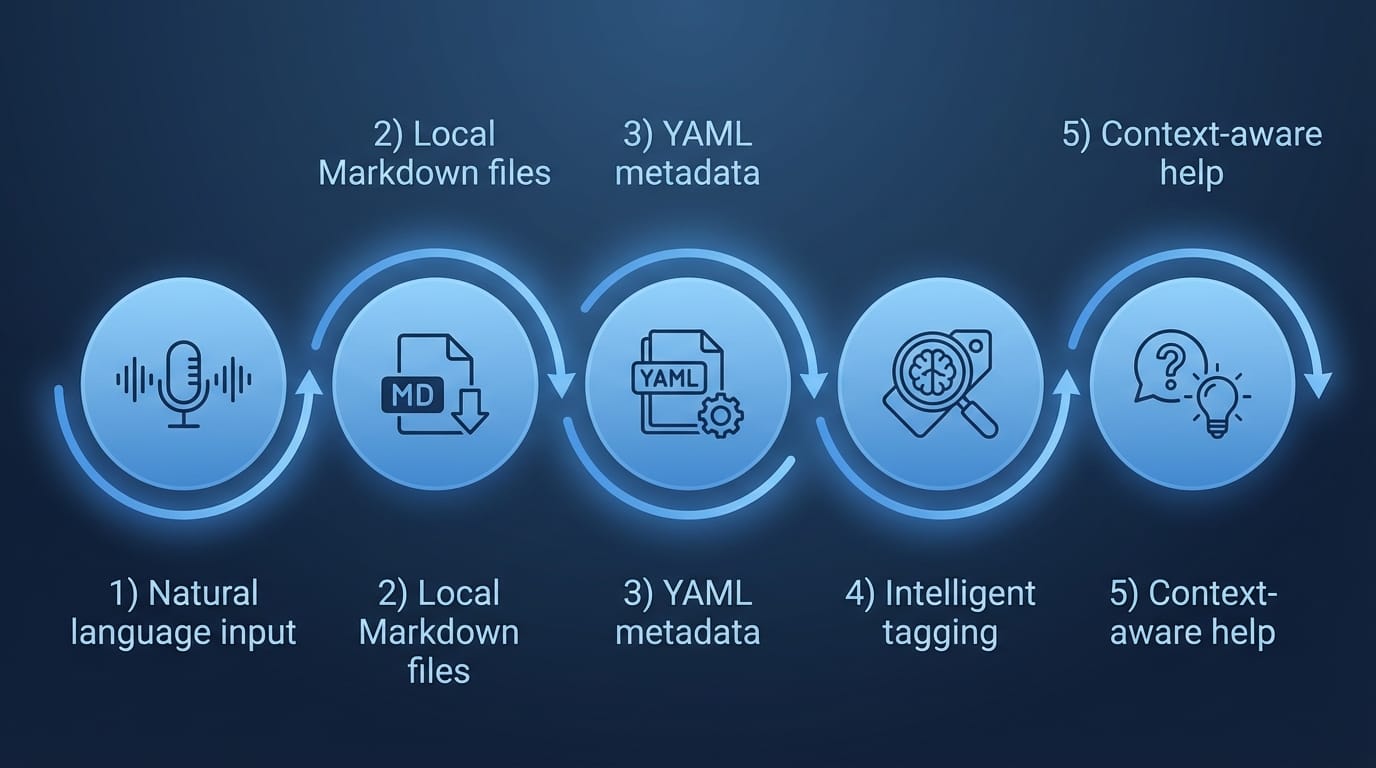
Claude Code Tasks are structured work items inside Claude Code that let you organize, track, and execute your to-do list using natural language commands. Instead of clicking around in a UI, you just type what you want—like you’re talking to a helpful coworker—and Claude turns it into a real task you can manage. That’s the whole magic trick. [2]
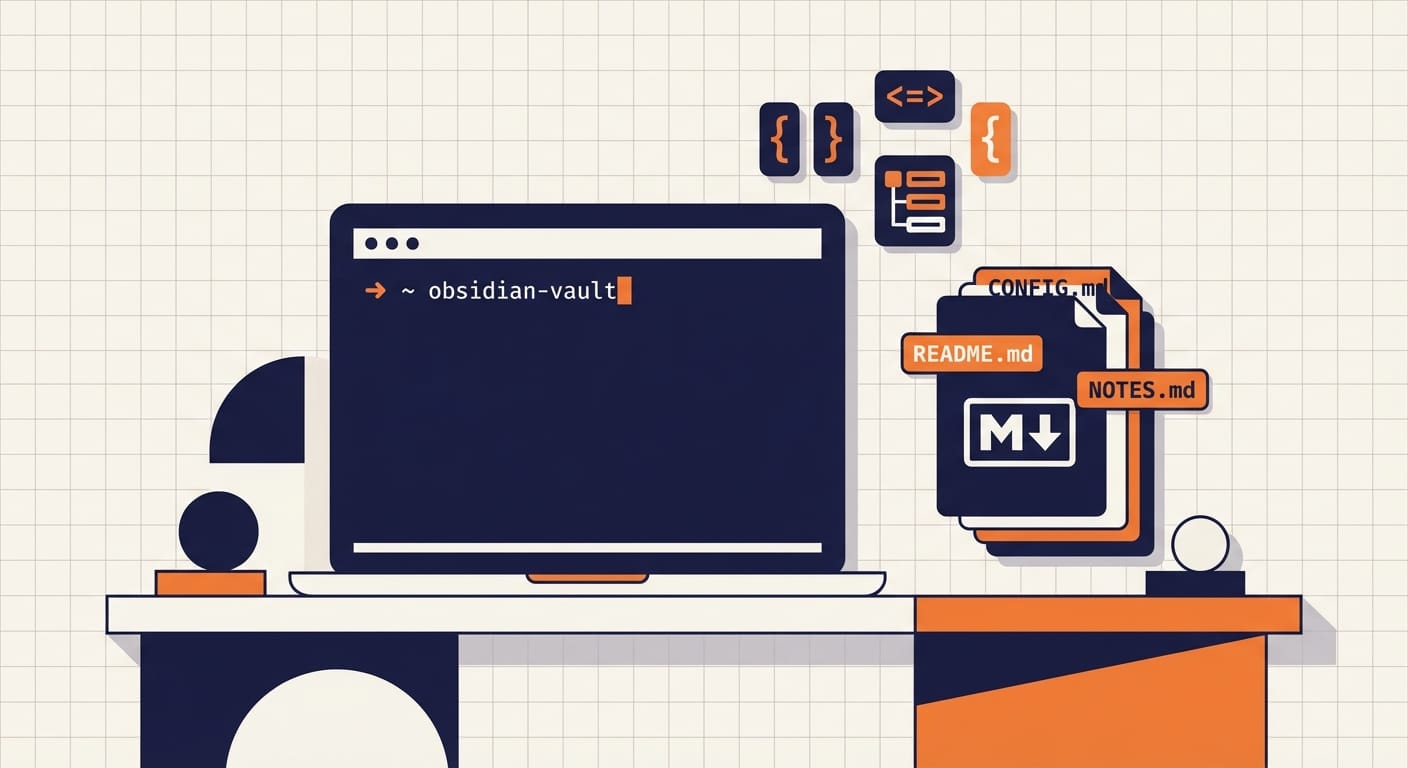
Here’s the key detail that makes this more than a fancy checklist: each task is stored as a local Markdown file (often in something like an Obsidian vault) with YAML front matter for metadata—due dates, tags, task type, etc. So your tasks aren’t trapped in some SaaS black box. They’re just files. Like God intended. [2]

The pain: why most task systems fall apart
I’m going to say the quiet part out loud: most task tools fail because they ask you to do more work to describe the work.
- Pick a project.
- Pick a status.
- Pick a priority.
- Pick a due date.
- Pick tags.
- Pick a category.
Congrats, you’ve just spent 90 seconds creating a task you’ll ignore for 9 days.
Claude Code Tasks flip that: you say, “new task, send thank you to Claire, do today” and Claude parses it, creates the Markdown file, fills in the YAML metadata (including the due date), and drops it into your system. [2]
The solution: Claude Code Tasks as “to-do list infrastructure”
Think of Claude Code Tasks like this: instead of a shiny to-do app, you’re getting a task file system plus an AI assistant that’s great at turning messy human thoughts into structured data.
At a practical level, you get three big wins:
- Low-friction capture: type tasks in plain English.
- Structured organization: YAML metadata keeps everything sortable/searchable.
- Context-aware help: Claude can load relevant context (like a business profile) when working tasks. [2]
How Tasks work under the hood (without getting nerdy)
Each task is a standalone Markdown file. At the top is YAML front matter—basically a little “label maker” section that machines love and humans can still read. That YAML can include stuff like:
- due date
- task type
- tags
Claude will also apply tags automatically using a taxonomy you define in your project config. So you’re not manually tagging every little thing like it’s 2013. [2]
5 key features that make Claude Code Tasks worth caring about
Let’s make this concrete. Here are the five features I think actually matter (and why I’d bet on this approach).
- Natural language task creation You write what you mean. Claude handles the structure. This is the difference between “write a sticky note” and “fill out a CRM lead form.” [2]
- Markdown files stored locally Your tasks live as files on your machine (often in an Obsidian vault). That means you can back them up, grep them, sync them, or move them—no permission slip required. [2]
- YAML metadata for clean structure YAML front matter is like putting tasks into neat little folders without locking you into a single UI. Due dates, tags, types—machine-readable, human-friendly. [2]
- Intelligent tagging from your taxonomy You define the tag universe in your config, Claude applies them. It’s like having an assistant who files things correctly instead of creating “misc2-final-final” folders. [2]
- Context-aware task help This is the sleeper feature: Claude can load the right context when working tasks. Business tasks can pull business profile context; personal tasks can pull personal profile context. That means better suggestions, better drafts, better prioritization. [2]
Pro Tips (from someone who hates busywork)
- Start with 8–12 tags max. If your taxonomy needs a wiki, it’s too big.
- Use due dates sparingly. Due dates are for commitments, not vibes.
- Write tasks like future-you is a stranger. “Follow up” is useless. “Email Claire to confirm invoice timeline” is gold.
- Keep tasks atomic. If it’s bigger than 30–60 minutes, it’s probably a project—split it.
A quick case study snippet (totally realistic)
Let’s say you run a small agency. You’re juggling client work, invoices, and a million “tiny” follow-ups.
With Claude Code Tasks, you could type:
- “new task, draft proposal for Acme rebrand, due Friday, tag client/acme”
- “new task, send thank you to Claire, do today”
- “new task, review Q1 churn notes, tag ops, next week”
Claude turns each into a properly structured file with YAML metadata and tags—organized automatically. Then when you ask, “What should I do today?” Claude can read the task files and help you prioritize based on what’s due and what context matters. That’s the productivity system angle: not just storing tasks, but working with them. [2]
Common mistakes (don’t do this)
- Turning tags into a personality test. If you have 47 tags, Claude can’t save you.
- Using tasks as a journal. Tasks are for actions. Notes can link to tasks, but don’t bury action items in paragraphs.
- Assigning a due date to everything. That’s how you train yourself to ignore due dates entirely.
- Never reviewing. Any system fails if you don’t do a quick daily/weekly sweep.
FAQ
Are Claude Code Tasks a replacement for my task app?
They can be, if you like file-based workflows and want less UI. If you’re married to dashboards and drag-and-drop kanban boards, you might use Tasks alongside your existing tool.
Why Markdown files? Isn’t that… primitive?
Primitive like a bicycle: simple, fast, and it doesn’t break because an app updated. Plus, Markdown + YAML is incredibly portable. [2]
What’s the point of YAML metadata?
So tasks are both human-readable and machine-sortable. YAML is how you get due dates, tags, and types without being locked into one interface. [2]

Does Claude automatically tag tasks?
Yes—based on a customizable taxonomy in your project configuration. That’s what keeps things organized without manual effort. [2]
Summary bullets
- Claude Code Tasks are structured work items you manage via natural language. [2]
- They’re stored as local Markdown files with YAML metadata for dates/tags/types. [2]
- Claude can auto-apply tags from your taxonomy and load context to help you execute. [2]
- The real win is less friction: capturing tasks becomes a sentence, not a form.
Actionable takeaways (do this today)
- Pick 10 tags you’ll actually use (client, ops, personal, finance, etc.).
- Create 5 tasks using plain-English commands—include at least one due date.
- Do a 3-minute daily review: what’s due, what’s important, what can die peacefully.
Sources: Anthropic documentation on Claude Code Tasks and task file structure. [2]