Stop Shipping Surprise Bugs: Why Claude Code’s Plan Feature Is Your Best Friend
Here’s my hot take: if you’re letting an AI coding agent “just start building” without forcing it to plan first, you’re basically handing your repo the keys and saying, “Sure, drive… I’m sure you’ll figure out the brakes on the way down the hill.”
And look, I love moving fast. I’m a startup guy. Shipping is oxygen. But there’s a difference between moving fast and creating an incident you’ll be explaining in Slack at 2 a.m. You’ve seen the news lately—100+ cars in a pileup in Michigan because conditions got chaotic fast. That’s what unplanned changes feel like in a codebase: one little slip, then suddenly everything’s kissing the guardrail. (No, your monorepo isn’t a highway, but the vibe is the same.)
So let’s talk about the advantages of using the Plan feature in Claude Code before it executes the build. It’s not “extra process.” It’s a seatbelt.
The Problem: AI Can Code Faster Than You Can Think
When Claude (or any agentic coding tool) starts executing immediately, you get:
- Uncontrolled scope creep (“I fixed the bug… and refactored 14 files… surprise!”)
- Hidden assumptions (it guessed what you meant, and it guessed wrong)
- Fragile builds (works on its machine, fails in CI, breaks prod, ruins your afternoon)
- Security and compliance faceplants (new deps, new network calls, new data handling—without you noticing)
And the worst part? You don’t even realize the agent is heading toward trouble until it’s already written a bunch of code you now have to review, untangle, or revert.
The Plan feature flips that. It forces the agent to show you the route before it starts driving.
Solution: Use Plan Like a Pre-Flight Checklist (Yes, Like Pilots)
In aviation, you don’t start the engines and then ask, “Wait, do we have enough fuel?” You check first. Planning in Claude Code is that same energy—cheap to do, expensive to skip.
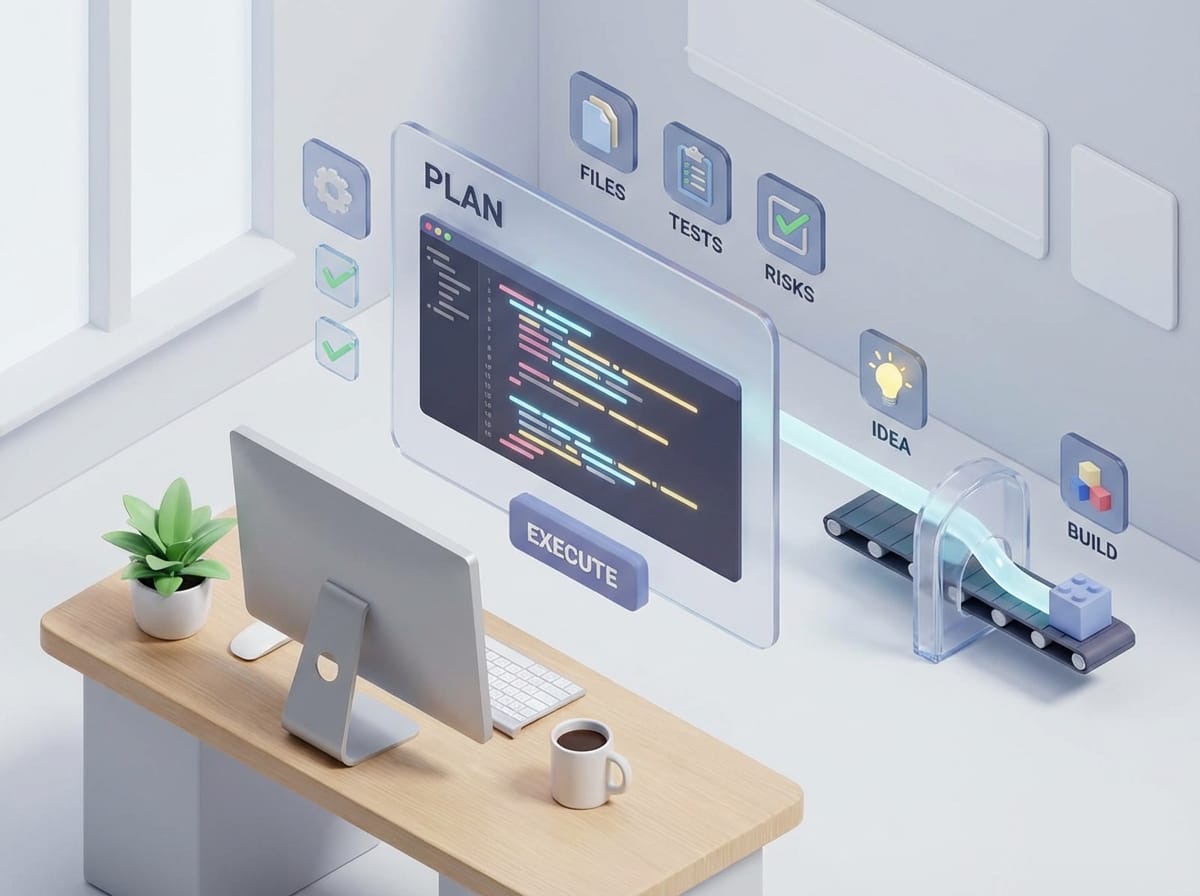
When you request a plan, you’re getting:
- What it intends to change
- Why those changes are needed
- What files/modules it will touch
- What tests it will add or update
- What risks or unknowns it sees
And then you say “yes,” “no,” or “almost—tweak it like this.” That’s the whole game.
7 Advantages of Planning First (AKA: Why Your Future Self Will Thank You)
- 1) You catch bad assumptions before they become bad code AI is confident by default. That’s not a personality trait, it’s a design reality. A plan forces assumptions into the open: “I’m assuming we’re using OAuth,” “I’m assuming the API is REST not GraphQL,” etc. You can correct it while it’s still just words, not a 20-file diff.
- 2) You get instant scope control (no more ‘while I’m here’ refactors) Ever asked for a small change and got a sweeping rewrite? Same thing happens with AI agents. Planning lets you draw a box around the work: only touch these files, don’t change public interfaces, no dependency upgrades. That’s not micromanagement—that’s adult supervision.
- 3) It improves code quality because the agent designs before it types Most bugs aren’t syntax issues—they’re design issues. Planning pushes Claude to think architecture first: data flow, error handling, edge cases. It’s the difference between “start coding” and “solve the problem.”
- 4) It reduces build/CI surprises A good plan includes how it’ll validate changes: unit tests, integration tests, linting, migrations, feature flags, rollback approach. If it doesn’t mention validation, that’s your cue to say: “Cool plan. Where are the tests?”
- 5) It’s a built-in security sanity check Planning makes it easier to spot sketchy stuff early: new packages, elevated permissions, secrets handling, logging sensitive data, network calls. You can stop risky moves before they land. And given how chaotic real-world systems get under pressure (governments respond with internet blackouts, militaries go on standby, policy shifts hit fast), I’m a big believer in designing for resilience and predictability in our smaller systems too—our apps and pipelines included.[1][2]
- 6) It makes collaboration easier (humans can review a plan faster than code) If you’re working with a teammate, you can paste the plan into the PR description or Slack and get alignment before anyone wastes time. It’s like sending wireframes before you build the UI. Nobody’s feelings get hurt because nothing’s been built yet.
- 7) It creates a paper trail (great for audits and future debugging) Six weeks from now, you’ll forget why you changed that weird module. A plan becomes documentation: intent, constraints, and reasoning. That’s gold when something breaks later and you’re playing detective.
Pro Tips Box: Make Plans Actually Useful
- Ask for a file touch list: “Which files will you modify and why?”
- Force test coverage upfront: “What tests will you add/update? What’s the pass/fail criteria?”
- Call out constraints explicitly: “No new dependencies,” “keep the API backwards compatible,” “don’t change DB schema.”
- Request a rollback strategy: “If this fails in prod, what’s the fastest revert?”
Common Mistakes (Don’t Do This)
- Mistake #1: Accepting a vague plan. If the plan reads like “update code to support X,” that’s not a plan, that’s a fortune cookie. Push for steps, files, and validation.
- Mistake #2: Letting the plan include “cleanup” by default. Cleanup is where timelines go to die. If you want cleanup, make it a separate task with its own plan.
- Mistake #3: Skipping the plan because it’s “just a small change.” Small changes are exactly the ones that sneak into production without enough scrutiny. The smaller the change, the cheaper the plan—so why not?
FAQ
Does planning slow me down?
A little upfront, yes. But it saves you from rework, broken builds, and PR back-and-forth. Net speed goes up.
What should a “good” plan include?
Steps, files touched, expected behavior changes, tests, edge cases, and risks. If it can’t name tests, it’s not done.
Can’t I just rely on code review?
You can, but reviewing a plan is like reviewing a recipe; reviewing code is like tasting the dish after it’s cooked. Both matter, but catching mistakes earlier is cheaper.
What if the plan is wrong?
Perfect—that’s the point. You want it to be wrong before it writes code. Adjust and re-plan.
Case Study Snippet: The “Simple” Auth Change That Wasn’t
Let’s say you ask Claude Code to “add SSO support.” If you skip planning, you might get:
- New auth library added
- Session handling altered
- Callback routes introduced
- Unexpected changes to existing login flow
Now you’re debugging why mobile login broke. With the Plan feature, you’d see those steps before execution and could say: “Hold up—no new library, use our existing provider, and keep the old flow intact behind a feature flag.”
That one planning step can turn a two-day mess into a 90-minute clean implementation.
Tool/Resource Recommendations
- Claude Code Plan feature: Use it as your default mode for anything beyond trivial edits.
- GitHub PR templates: Add a “Plan” section so the intent is captured alongside the diff.
- CI gates (tests + lint + typecheck): Make the plan reference what CI will validate; it forces reality.
Why This Matters More in 2026 Than It Did in 2023
We’re living in an era where things escalate quickly—weather pileups, political flashpoints, transportation incidents. Systems fail fast when conditions are chaotic, and software teams aren’t immune to that pattern.[1][3]
Agentic coding is the same: velocity is awesome… until it’s uncontrolled velocity. Planning is the friction that keeps speed from becoming impact.
Action Challenge
Next time you’re about to let Claude Code execute a build task, do this instead:
- Ask for a plan with steps + files + tests.
- Approve it only after you’ve tightened scope and validation.
- Then execute.
Try it for one week. If your PRs get smaller, your CI gets greener, and your stress drops… congrats, you just discovered the most boring superpower in modern dev: thinking first.
Sources: Severe weather disruptions and multi-vehicle pileup reporting; US domestic unrest and policy shifts; Spain high-speed train collision coverage.[1][2][3]
- [1] Research data provided: “Top News Stories as of January 20, 2026” (Arctic blast, Michigan pileup, Iran protests, Spain derailment, Greenland tensions).
- [2] Research data provided: “Top News Stories as of January 20, 2026” (Minnesota standby, immigration crackdowns, DOJ resignations, foreign policy developments).
- [3] Research data provided: “Top News Stories as of January 20, 2026” (Spain train collision details; Greenland coverage).