Agentic Workflows in Claude Code: Your New “Tiny Dev Team”
Agentic workflows in Claude Code turn one developer into a small, specialized team—using subagents, shared rules files, planning docs, slash commands, and verification loops so you ship real code, not vibes.
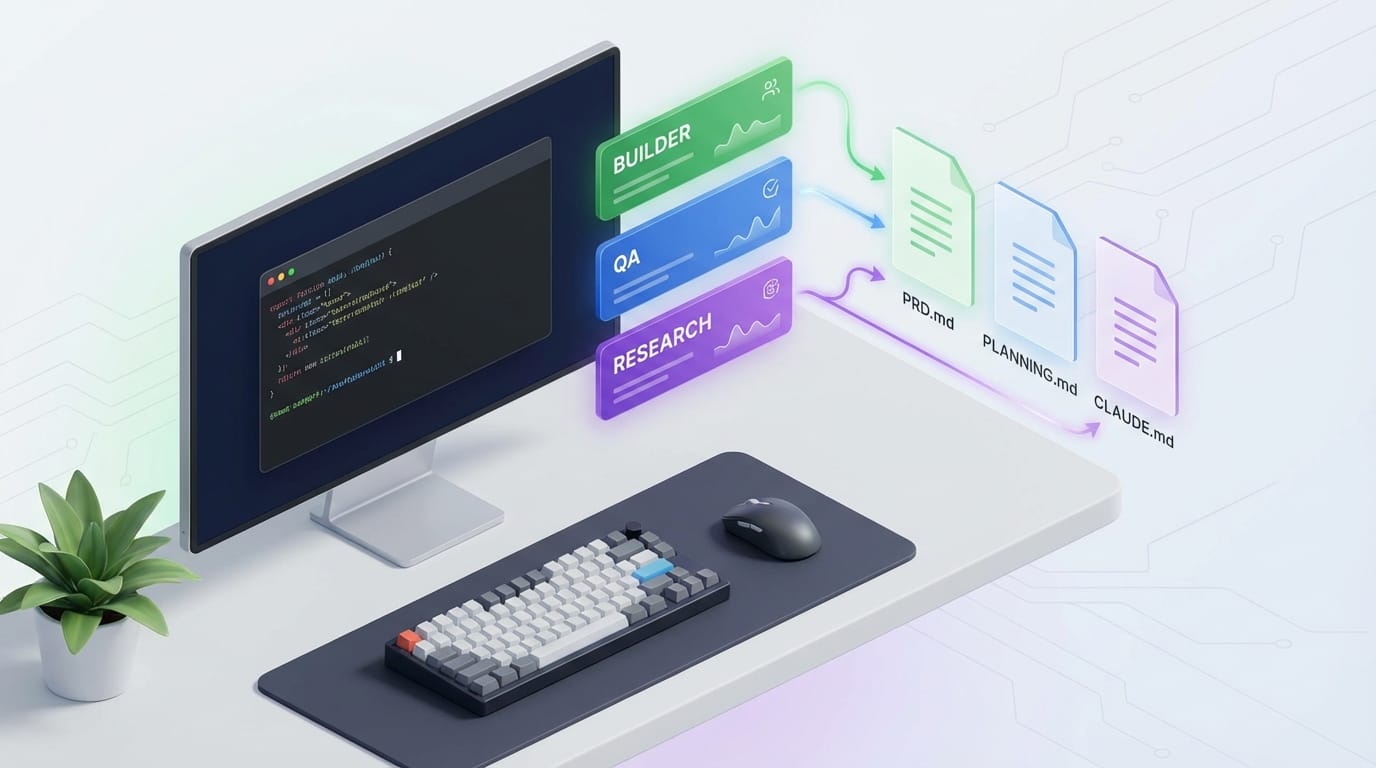
Imagine this: you’re shipping a feature on a Tuesday night. You’ve got specs to tighten, code to write, tests to add, and a weird edge case that will absolutely show up in production at 2:07am… because of course it will. Now imagine you spin up a strategist, a coder, and a QA tester in parallel—each doing their thing—and you’re just the editor-in-chief.
That’s the basic vibe of agentic workflows in Claude Code. It’s not “one chatbot that kinda does everything.” It’s more like you plus a small swarm of specialized helpers, running in a terminal/IDE workflow, with rules, plans, reusable commands, and a tight feedback loop so you don’t ship vibes instead of software.
The problem: one AI assistant turns into “prompt mush”

I’m bullish on AI coding tools, but I’m also stubborn about one thing: generalist prompting breaks down fast. You start with “write the endpoint,” then “add tests,” then “oh also update docs,” then “why is this failing in CI?” and suddenly the assistant is juggling 14 concerns with the memory of a goldfish.
In practice, teams don’t work like that. You don’t ask your best backend engineer to also be your QA lead, your product manager, and your analytics person in the same breath. So why are we doing it to an LLM?
Agentic workflows fix this by making the workflow modular: different agents for different jobs, shared rules so they behave consistently, and verification so humans stay in control. Anthropic’s Claude Code has become a trendsetter here—people are standardizing patterns like shared instruction files and slash commands so agentic coding is repeatable and team-friendly, not “wizard stuff.” [4]
So what is an agentic workflow in Claude Code?
In plain English: an agentic workflow is a structured process where multiple Claude-powered agents work autonomously in parallel or in sequence on real development tasks—guided by shared rules, project plans, and human oversight.
Think of it like running a restaurant:
- The PRD is the menu (what are we making?).
- PLANNING is the kitchen playbook (how are we making it?).
- CLAUDE.md / AGENTS.md is the training manual (how we do things around here).
- Slash commands are your prep stations (repeatable routines).
- Verification is the taste test before food hits the table.
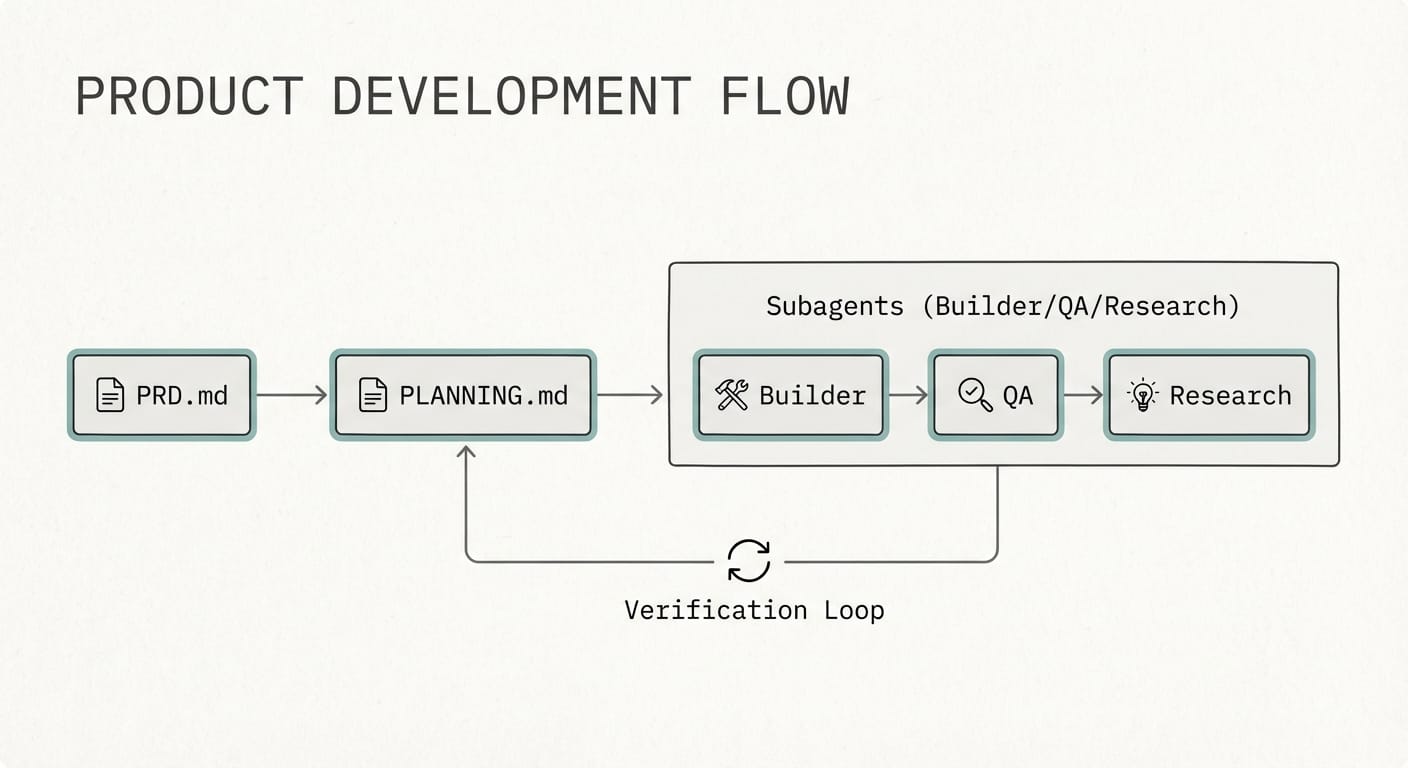
Claude Code workflows lean heavily on this: planning → execution by specialized agents → verification/feedback loops. That’s where reliability comes from—not from bigger prompts. [2][7]
7 building blocks that make agentic workflows actually work
- Parallel agents (aka subagents with jobs) Instead of one overworked assistant, you run specialized sessions: a research agent, a production/coding agent, a QA agent, maybe ops or analytics too. Humans route tasks between them, which prevents the “everything bagel” prompt problem. [1][3]
- Shared rules via CLAUDE.md or AGENTS.md This is your project’s “house style.” How you want code structured, what mistakes to avoid, what “done” means, voice guidelines for docs—stuff you’d normally repeat forever. Claude Code supports a CLAUDE.md approach, and AGENTS.md is emerging as a broader standard. [1][2]
- PRD-first thinking (yes, even if you hate PRDs) A PRD.md clarifies functional and non-functional requirements: performance expectations, security constraints, edge cases. You can have an LLM draft it, but you edit it like an adult. [2]
- Planning files (so the agents don’t freestyle architecture) A PLANNING.md documents architecture, stack, tools, and workflow. This is where “agentic” becomes operational—agents stop guessing and start following the same blueprint. [2][5]
- Slash commands (reusable mini-workflows) These are huge. Commands like /create-test-plan or /prep-weekly-report package up your best practices so you can run them on demand. Commit them to the repo and you’ve basically created internal tooling. [1]
- Verification loops (the “trust, but verify” layer) The best agentic setups have stop rules, thresholds, checks, and explicit review steps. You’re not watching chain-of-thought—you’re checking outputs against reality: tests passing, lint clean, metrics sane. This is how you avoid vibe-based coding. [1][3][7]
- Reflection + memory (so you improve over time) Add common mistakes and fixes into CLAUDE.md/AGENTS.md. Claude Code also supports compact context patterns so you don’t drag the entire history everywhere. This is where teams get compounding returns. [2]
The Bottom Line
If you treat Claude Code like a single magic genie, you’ll get inconsistent results. If you treat it like a team of specialists with a shared playbook and clear checks, it starts to feel like you hired three sharp contractors overnight.
Case study snippet: the “three-agent feature ship”
Let’s say you’re adding “export invoices to CSV.” Not glamorous, but it pays the bills.
- Agent 1: Product/Research clarifies edge cases: time zones, decimal separators, permissions, and what counts as an “invoice.”
- Agent 2: Builder implements the endpoint + UI hook with the repo’s patterns.
- Agent 3: QA writes tests, checks auth, and confirms the CSV matches expected schema.
You orchestrate. You review diffs. You run tests. You ship. Nobody’s confused about their job.
Common mistakes (I’ve made all of these, so you don’t have to)
- Letting one agent “own everything.” That’s how you get half-written tests and a README that promises features you didn’t build.
- No PRD/plan, just vibes. Agents will fill in blanks. They’re helpful like that… and also dangerous like that. [7]
- Skipping verification. If “looks good” is your QA process, production will eventually humble you.
- Not writing down rules. If you repeat instructions more than twice, that belongs in CLAUDE.md or AGENTS.md. [1][2]
Pro Tips (the stuff that makes this click fast)
- Start with 3 agents max. Builder, QA, and “Spec Cop.” More agents too early = more orchestration overhead.
- Write stop rules. Example: “If tests fail twice, stop and ask for human input.” [1][3]
- Turn your best checklists into slash commands. If you do it weekly, automate the ritual. [1]
FAQ
Is this the same thing as AutoGPT-style agents?
Not really. The modern Claude Code flavor is more grounded: files, repo conventions, and verification loops. Less “AI goes wandering,” more “AI runs a playbook.” [2][7]
Do I need to run agents fully autonomously?
Nope. In fact, I’m firmly pro human-in-the-loop. Autonomy is great for execution; humans should own prioritization, review, and final decisions. [1][3]
What files should I create first?
If you do nothing else: PRD.md, PLANNING.md, and CLAUDE.md (or AGENTS.md). That trio eliminates 80% of confusion. [2]
What’s a reasonable rollout plan?
I like Boris Cherny’s 10-day rollout: start with rules, define 3 subagents, add 2–3 commands, then add verification metrics and triggers. It’s paced, realistic, and doesn’t require a pilgrimage to Mount Prompt. [1]
Action challenge: set up your first “mini agentic workflow” today
Here’s what I want you to do today (seriously, 30–45 minutes):
- Create CLAUDE.md (or AGENTS.md) and write 10 bullet rules: code style, testing expectations, “don’t do X,” etc.
- Create a tiny PRD.md for your next task (even if it’s small).
- Run two parallel threads: one “Builder” and one “QA.” Make QA write the test plan before code lands.
Do that once, and you’ll feel the shift: you’re no longer prompting. You’re orchestrating.
Sources
- Boris Cherny, playbook on agentic workflows (rules files, subagents, commands, verification), referenced in 2026 starter kit. [1]
- Sean Matthew, PRD-first workflow for generating CLAUDE.md and PLANNING.md, plus context management patterns. [2]
- Notes on parallel agent routing, verification loops, and human orchestration patterns. [3]
- Industry trend: Claude Code standardizing terminal-native, shareable agentic dev patterns by late 2025. [4]
- Planning file usage and architecture/workflow documentation patterns. [5]
- Agentic tooling integrations and workflow extensions (e.g., MCP scenarios, design workflows). [6]
- Reliability limits and the “avoid vibe-based coding” lesson: plan + act + reflect. [7]
- Mentions of related agentic CLIs and reusable command approaches in the ecosystem. [8]