5 Claude Code agent use cases that feel like cheating (in a good way)
Claude Code’s agentic agents aren’t just fancy autocomplete. Here are five real use cases—from massive codebase changes to security review and non-engineer automations—backed by real deployments.

Imagine you hand an AI a real dev task — not a toy “write Fibonacci” prompt — and it comes back hours later with a working PR, tests included, and a note about why your architecture is weird. Sounds like sci-fi, right?
Well… it’s kind of happening. Anthropic’s Claude Code is pushing this “agentic” thing forward: instead of one-shot code suggestions, you get autonomous agents that can plan, execute, review, and iterate across multiple steps. Think less “autocomplete” and more “junior engineer who never sleeps (but you still supervise).”
Below are five use cases I’m seeing (and frankly, rooting for) where agentic agents in Claude Code actually move the needle. I’ll keep it practical, because nobody needs another buzzword smoothie.
1) Shipping scary changes in massive codebases (without losing your weekend)

If you’ve ever worked in a big repo, you know the feeling: you touch one function… and 37 things break in places you didn’t know existed. Agentic agents help because they can traverse the codebase, form a plan, implement changes, run tests, and revise based on failures. That “multi-step” part matters.
Real-world example: Rakuten engineers used Claude Code to autonomously implement a specific activation vector extraction method in vLLM — a gigantic open-source library (~12.5 million lines). Reportedly: 7 hours to completion and 99.9% numerical accuracy, versus months if done manually. That’s not a small improvement. That’s a timeline getting drop-kicked off a cliff (nicely). [1]
My take: this is where agents shine the most. Not because they’re “smarter,” but because they’re tireless at boring navigation and iteration.
2) Burning down tech debt and backlog tickets like it’s spring cleaning
Every team has that backlog graveyard: “rename this thing,” “remove deprecated endpoint,” “add missing tests,” “update dependencies,” “fix lint warnings”… and somehow it’s been sitting there since the Jurassic period.
Agentic agents are great at this kind of work because it’s:
- well-scoped
- repeatable
- boring (sorry, but it is)
In enterprise deployments, agents have been used to systematically eliminate years of accumulated technical debt by processing large backlogs, freeing engineers for higher-value work. One report cites an enterprise cutting what would’ve been a 4–8 month project down to 2 weeks using Claude-powered tools (like Augment Code). [1]
Practical advice: don’t start by handing an agent your gnarliest legacy module. Start with the backlog items you already trust a junior dev to do — dependency bumps, test coverage, small refactors — and set up guardrails (CI + code owners).
3) Letting agents do quality control and security review (because humans miss stuff)
Here’s an uncomfortable truth: code review is inconsistent. Not because your teammates are lazy — but because humans get tired, context-switch, and sometimes skim because they’re late for a meeting.
Agentic agents can run automated review passes over large volumes of code (including AI-generated code) to flag:
- security vulnerabilities
- architectural inconsistencies
- bad patterns creeping in
- missing tests / error handling
And they can do it at a scale that’s beyond what a human team can sustainably handle. This is increasingly becoming standard practice in orgs generating lots of code with AI. [1]
My stance: I trust agents more as “review assistants” than “autonomous shippers” in high-risk areas. They’re like metal detectors: not perfect, but you’d be nuts to walk onto the beach without one.
4) Orchestrating multiple agents across the whole dev lifecycle
Single-agent workflows are useful. Multi-agent workflows are where it starts to feel like a little software factory.
In practice, you can have one agent:

- break down requirements into tasks
- generate code changes
- write tests
- run checks and fix failures
- produce release notes
And yes, sometimes you run multiple agents in a hierarchy (one “manager” agent delegating to specialists). Fintech firm CRED reported doubling execution speed across their lifecycle by shifting developers toward strategic tasks while agents handled routine coding. [1][2] Another deployment mentioned hierarchical multi-agent workflows speeding outcomes (like Fountain’s reported 50% faster screening in their domain). [1]
5) Giving non-engineers real automation power (without waiting on the dev queue)
This is the sneaky-big one. Agentic agents aren’t just for devs. They’re for anyone with repeatable “knowledge work” that touches documents, policies, or workflows.
A case I love: Legora’s lawyers built self-service tools for contract redlining and triage using Claude Code without coding expertise, reducing marketing review from 2–3 days to 24 hours. [1]
That’s not “AI is neat.” That’s “your bottleneck just moved.” And that’s the whole game in business: find the bottleneck, relieve it, repeat.
Quick "wait, how do I actually use this?" guidance
Pro Tips Box: Don’t treat agents like magic
- Start with a tight brief: inputs, expected output, constraints, and how you’ll validate.
- Give it tools + boundaries: repo access, test commands, and a clear “don’t touch these directories” rule.
- Use checkpoints: ask for a plan first, then approve execution.
- Make CI the referee: agents should earn merges by passing the same gates humans do.
Common mistakes I see (and yes, I’ve done some of these)
- Letting the agent roam the whole repo on day one: scope it to a folder/module first.
- No definition of “done”: if you don’t specify tests, performance targets, or acceptance criteria, you’ll get vibes instead of results.
- Skipping human review: agents can be confident and wrong. Don’t get hypnotized by fluent explanations.
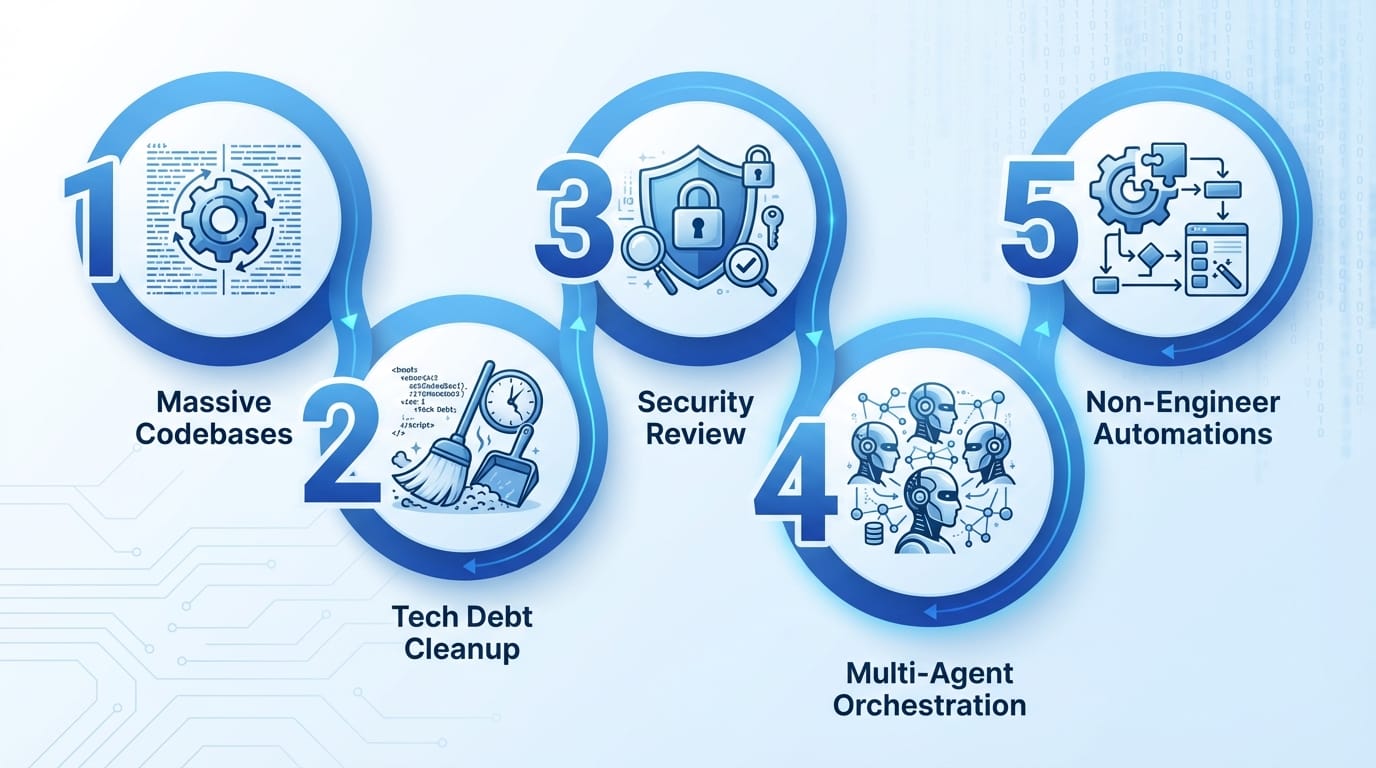
The 5 use cases (recap)
- Complex changes in huge codebases
- Tech debt + backlog cleanup
- Quality control + security review
- Multi-agent lifecycle orchestration
- Non-engineer automations
FAQ (because you’re probably thinking it)
Is this replacing engineers?
No. It’s replacing chunks of engineer time that are repetitive and high-friction. The teams winning with this are the ones where engineers become editors, architects, and product-minded problem solvers.
Do I need multi-agent orchestration to get value?
Not at all. Start with a single agent doing one end-to-end task (like “update dependency X and fix tests”). Multi-agent setups come later when you know what parts you want to delegate.
What’s the safest first project?
Backlog chores with strong test coverage: small refactors, lint fixes, dependency bumps, adding unit tests, documentation updates. If it breaks, you’ll know fast.
Sources
- [1] Anthropic / industry deployment reports summarized in provided research data (2026): Rakuten vLLM implementation, enterprise tech debt reduction, QC/security review, CRED and Fountain orchestration, Legora non-engineer tooling.
- [2] Multi-agent orchestration deployment note referenced in provided research data (CRED lifecycle acceleration).
- [4] General description of Claude Code agentic systems and multi-step coding workflows referenced in provided research data.
Action challenge
Pick one annoying backlog ticket you’ve been ignoring (dependency update, flaky test, missing docs). Hand it to a Claude Code agent with two rules: (1) “show me your plan first,” and (2) “CI must pass.”
If it works, congrats — you just bought back a few hours of your life. What will you do with them: ship something cooler, or finally close those 37 browser tabs?