Claude Canvas: the “AI whiteboard” you’ll actually use
Claude Canvas is Anthropic’s document-first workspace that makes AI collaboration feel like editing a real draft, not babysitting a chat thread.

Imagine you’re trying to write a plan for your team, a customer email, and a quick code snippet… while your phone’s blowing up about flight cancellations and ice warnings. Fun, right?
That’s basically January 2026 vibes: Winter Storm Fern has knocked out power for hundreds of thousands and canceled thousands of flights, which means a lot of folks are stuck at home doing “remote work” on spotty internet and pure willpower.[1][8]
In that kind of chaos, the last thing you want is an AI chat that feels like texting a helpful goldfish—great at one reply, terrible at holding the whole project in its head. That’s where Claude Canvas comes in.

So… what is Claude Canvas?
Claude Canvas is Anthropic’s workspace-style interface inside Claude that lets you work on a document (or artifact) alongside the AI, instead of juggling a messy scroll of chat messages.
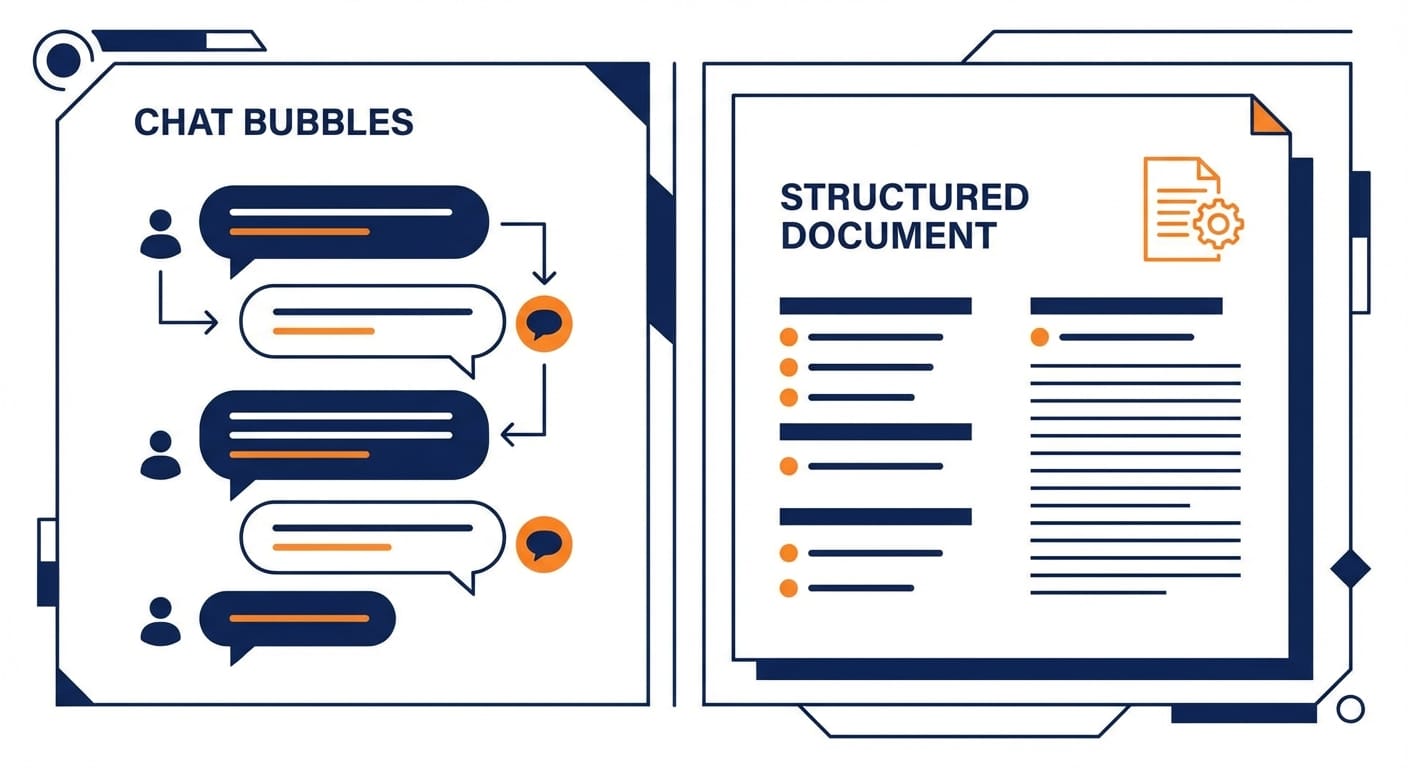
Think of normal AI chat like ordering at a drive-thru: you say a thing, you get a thing. Canvas is more like cooking together in a kitchen. The ingredients (your notes, draft, outline, code) stay on the counter where you can see them, and Claude helps you chop, season, and plate—without you re-explaining the recipe every 30 seconds.
Practically, Canvas is built for iterative work:
- Drafting and refining long-form writing
- Planning (project briefs, specs, meeting agendas)
- Lightweight coding and debugging
- Summarizing and restructuring messy notes
The real problem Canvas solves (and why I’m bullish on it)
I’m going to take a stance: most people don’t need “smarter” AI—they need AI that’s easier to drive.
When you’re in a normal chat thread, you’re constantly doing “context babysitting.” You paste the same paragraph again. You say “no, the other version.” You scroll. You lose the good draft. It’s like building a house, but your blueprint keeps falling behind the couch.
Canvas fixes that by making the work product the center of gravity, not the conversation.
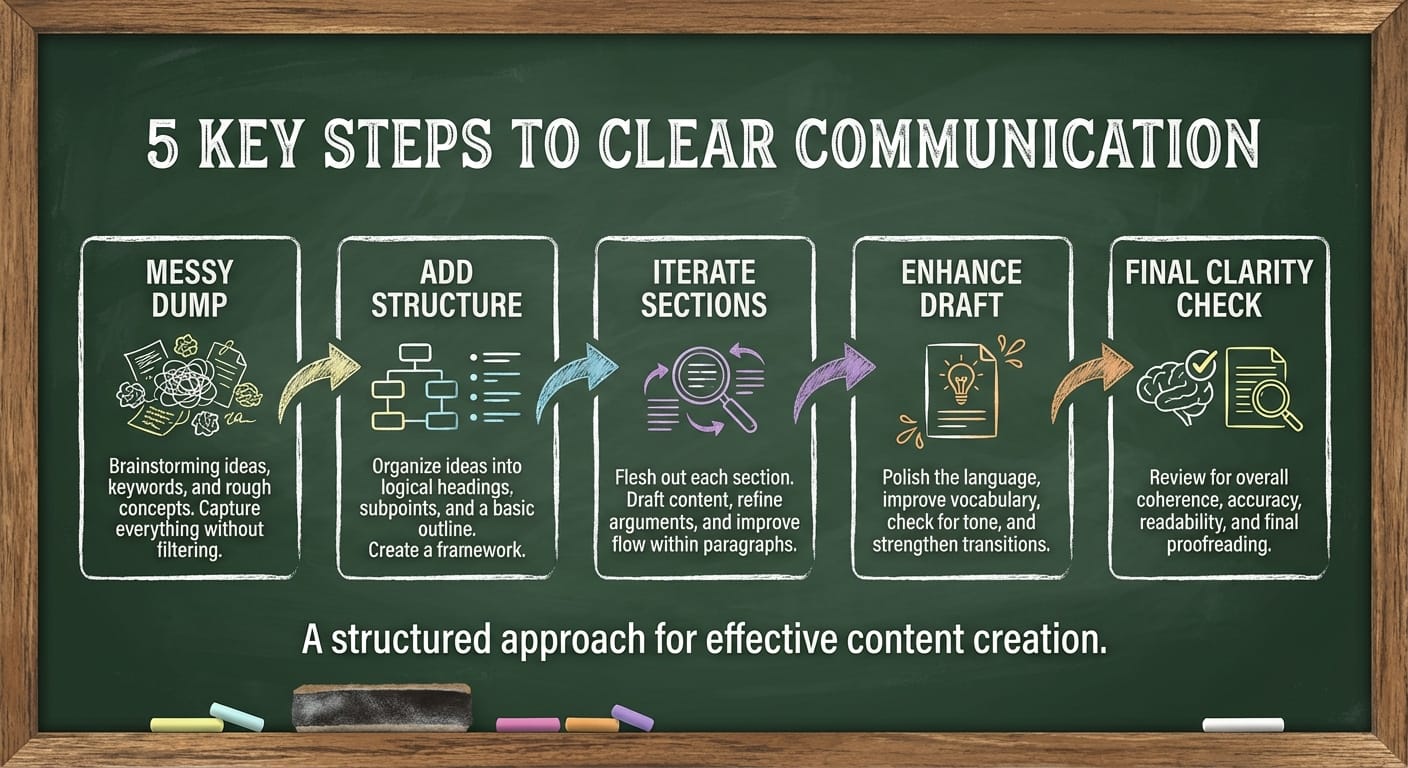
How I’d use Claude Canvas in the real world (5-step playbook)
If you’re wondering “Cool, but what do I actually do with it?”—here’s my simple flow. I use this for blog posts, product docs, and even investor updates.
- Start with a messy dump Paste your rough notes, bullet points, or half-baked outline into Canvas. Don’t make it pretty. The mess is the point.
- Ask for structure, not polish Say: “Turn this into a clear outline with headings and gaps called out.” Early polish is a trap.
- Iterate section-by-section Work like a builder: finish one room before decorating the whole house. Have Claude rewrite one section at a time.
- Lock decisions, then enhance Once the structure feels right, ask for improvements: stronger examples, tighter intro, clearer steps, etc.
- Do a final “dumb check” My favorite prompt: “Assume I’m smart but distracted. What’s unclear, missing, or too long?” Especially useful when the world is on fire and your attention span is toast.
Claude Canvas is a “work surface” for drafting and editing. If you’re doing anything longer than a few paragraphs—or anything that needs consistent structure—it’s way better than pure chat.
Common mistakes (aka how people sabotage Canvas)
- Mistake #1: Treating Canvas like Google Docs with a robot Canvas shines when you collaborate. If you never ask it to reorganize, critique, and propose alternatives, you’re leaving value on the table.
- Mistake #2: Asking for “make it better” That’s like telling a contractor “make my kitchen more kitchen-y.” Ask for specifics: “shorten by 20%,” “add 2 examples,” “make it friendlier,” “remove jargon.”
- Mistake #3: Editing everywhere at once If you revise the intro, then the conclusion, then paragraph 7, your brain becomes a browser with 43 tabs. Go in order. Ship faster.
FAQ
Is Claude Canvas a different model?
Nope—think of it as an interface/workspace feature. The “Canvas” part is about how you work with Claude, not a separate brain.
What’s the difference between Canvas and regular Claude chat?
Chat is conversational and great for quick answers. Canvas is document-centric and better for drafting, revising, and keeping context stable across multiple iterations.
Is Canvas good for coding?
For small-to-medium snippets, yes. For bigger projects, you’ll still want your IDE. But Canvas is great for planning a function, explaining logic, refactoring a chunk, or generating tests.
When should I not use Canvas?
If you just need a one-off fact, a quick summary, or a short brainstorm, chat is faster. Canvas is overkill for “what’s the command to do X?”
Pro Tips (from someone who hates wasting time)
- Give it a role: “You’re my editor” works better than “help.”
- Use constraints: word counts, tone, audience, reading level.
- Ask for options: “Give me 3 intros” beats “rewrite intro.”
- Save versions: label drafts like V1, V2, V3 to avoid backtracking pain.
Why Canvas matters right now (yes, even beyond AI nerd stuff)
We’re in a season where the “background noise” is intense: major winter storms disrupting travel and power, domestic protests, and nonstop geopolitical tension. Whether you’re writing comms for a team, updating customers about delays, or just trying to keep your projects moving—clarity wins.
Canvas is one of those tools that quietly improves clarity because it forces the work into a stable shape. Less scroll. Less re-explaining. More forward motion.
Action challenge
Open Claude Canvas and do this today: paste a messy thing you’ve been avoiding (an email draft, a project brief, a resume bullet list). Then run the 5-step playbook above—no skipping to “make it pretty.”
If you finish with something you’d actually send to a human, congrats. You’ve officially graduated from “AI chatting” to “AI shipping.”