Why AI Workflows Are Beating “Autonomous Agents” in the Real World
Standalone AI agents make great demos, but AI workflows win in production. Here’s why structured, hybrid workflows are the reliability and ROI play in 2026—and how to build one without drama.

Hot take: if your enterprise AI strategy is “let’s deploy an autonomous agent and pray,” you’re gonna have a bad quarter.
Here’s the thing… most companies don’t actually need an AI that “does everything.” They need a system that gets the right stuff done—reliably, measurably, and without inventing invoices, emailing the CEO’s dog, or filing HR tickets in Klingon.
Workflows vs. Standalone Agents: what we’re really arguing about
People use “agents” to mean everything from a chatbot with tools to a fully autonomous worker. So let’s simplify:
- Standalone agent: one agent that plans, executes, and self-corrects on the fly. Minimal structure. Lots of autonomy.
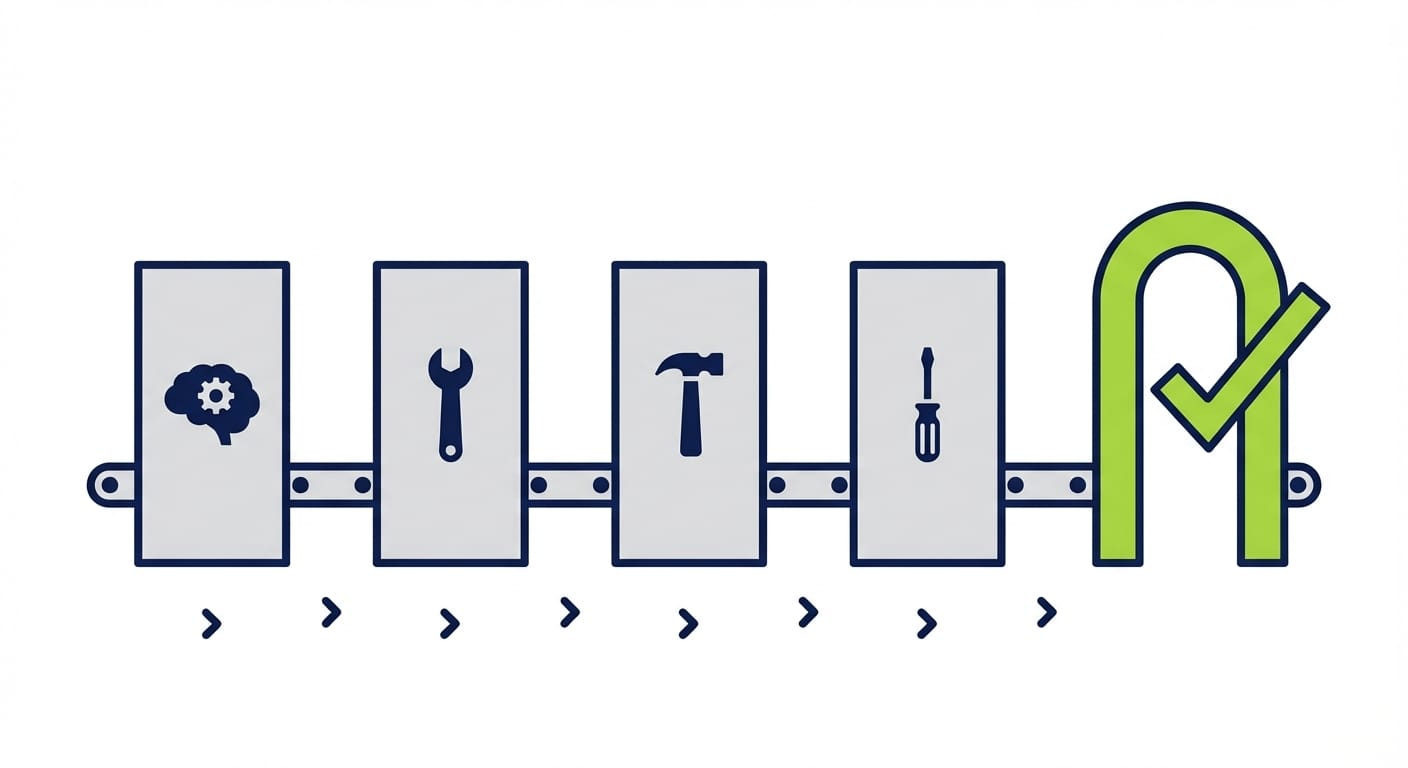
- AI workflow: a structured sequence of steps (some AI, some deterministic automation) with checkpoints, tools, and metrics.
- Hybrid workflow (the 2026 winner): agent for interpretation/routing/exceptions + deterministic systems for execution.
In 2026, enterprises are leaning hard toward workflows because they’re easier to govern, test, and scale. And the data basically screams it.
The problem: autonomy is fun… until it hits production
Look, I’ll be honest… “autonomous agents” are a great demo. But enterprises don’t buy demos—they buy outcomes.
On real office tasks, autonomous agents can fail a lot—think 70% failure rates in some evaluations of agentic office work. That’s not “edgy.” That’s “why is Finance screaming?” territory. Meanwhile, workflow-based systems with strict tools and grounding can push success into the 90%+ range for many production task types. Sources back this up across enterprise examples and benchmarking discussions. [1][3]
The solution: structured AI workflows (plus a little agent spice)
Here’s what most people miss: reliability doesn’t come from having a smarter model. It comes from giving the model a safer track to run on.
Think of it like this: a standalone agent is a teenager with a new driver’s license and a sports car. A workflow is a train on rails with signals, speed limits, and dispatchers. Which one do you want carrying your payroll updates?
What a modern enterprise workflow looks like (in practice)
I see the best teams break work into roles (sometimes separate agents, sometimes separate steps):
- Plan: interpret the request, identify constraints, choose tools.
- Retrieve: pull grounded context (RAG, policy docs, ticket history).
- Execute: call APIs / run deterministic automations (the “hands”).
- Validate: check outputs, run tests, enforce policy.
- Escalate: route edge cases to humans with a clean packet of evidence.
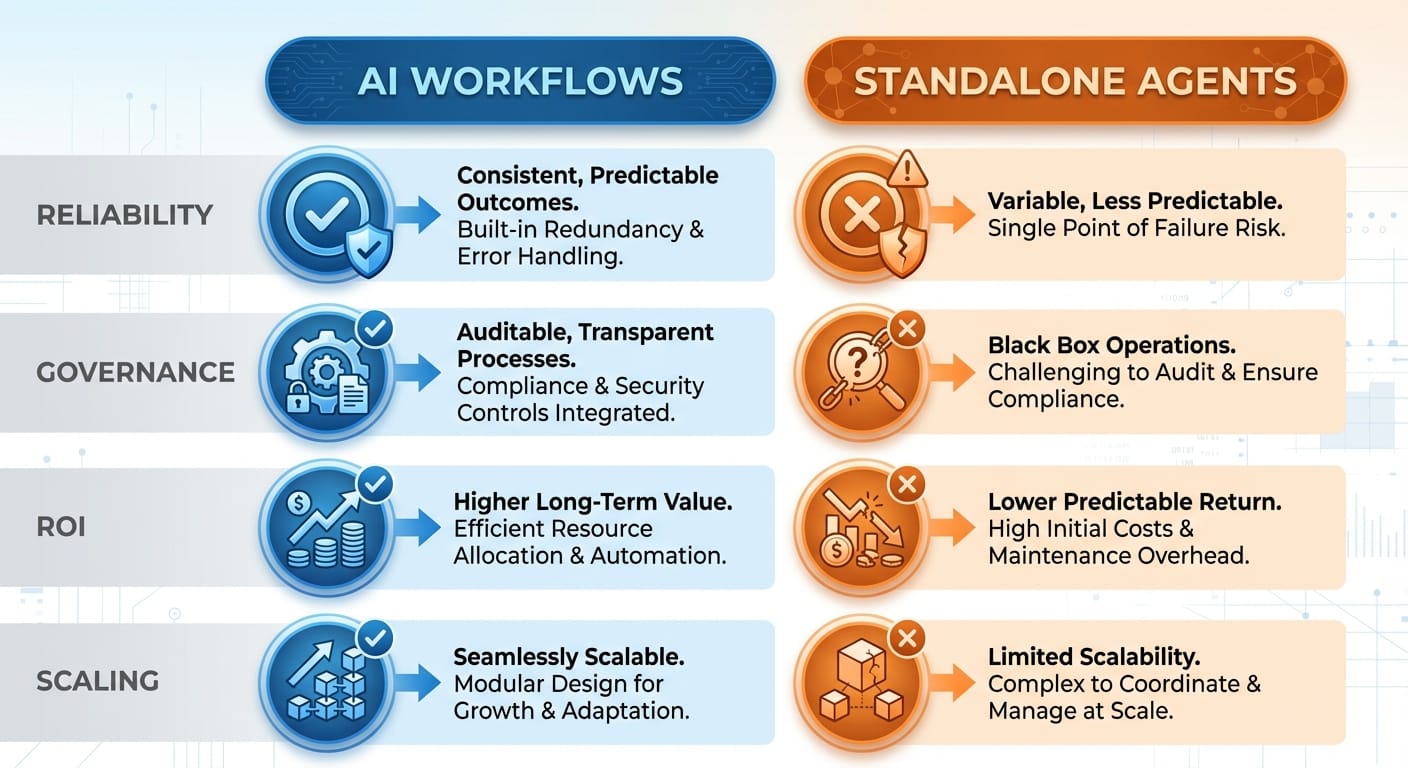
Comparison time: AI workflows vs standalone agents
If you’re deciding what to build this quarter, this is the decision table I wish more teams would make explicit.
Stats spotlight: workflow design beats model flexing
One of my favorite “humbling” data points: structured workflows can make weaker models look amazing. In benchmarking discussions, a structured workflow approach enabled GPT-3.5 to hit 95.1% on HumanEval, while a standalone GPT-4 baseline scored 67%. Translation: you don’t win by buying a bigger brain—you win by building a better system. [3]
Case study snippet: the hybrid model that actually ships
Let’s make this concrete.
Scenario: contact center “resend invoice” requests.
A standalone agent might: read the ticket, guess which invoice, email it, update CRM… and occasionally send the wrong customer someone else’s invoice (congrats, you’ve invented an incident).
A hybrid workflow tends to do better: the agent classifies intent, extracts entities, and routes. Then deterministic systems fetch the invoice, verify identity, log the action, and send using approved templates. This pattern is showing up in the wild, with reports of ~35% autonomous volume for safe write actions like invoice resending—because it’s bounded and auditable. [1]
And in HR support, IBM has cited workflow-like automation resolving 94% of HR requests without going full “autonomous agent runs HR.” That’s the vibe: structured, safe, and boring—in the best way. [1]
Common mistakes (aka how to accidentally sabotage your own AI)
- Mistake #1: letting the agent write directly to core systems. For high-risk actions, require approvals or deterministic validators. Your database deserves adult supervision.
- Mistake #2: no golden dataset. If you can’t test it, you can’t improve it. Build 200–500 real cases and run regressions. [1]
- Mistake #3: optimizing prompts before you instrument the workflow. Measure success rate, escalation rate, latency, and cost per task first. [1][3]
- Mistake #4: assuming “more autonomy” equals “more ROI.” Often it just equals “more weird edge cases.” Hybrid wins because it isolates weirdness.
Pro Tips Box: how to build workflows that don’t embarrass you
Pro tips I’d bet my own money on:
- Start with read-only workflows. Summaries, routing, classification. Then graduate to bounded writes.
- Use strict tools for execution. Let the agent decide what, not how to update systems.
- Add validation as a first-class step. Don’t “hope” it’s right—verify it’s right.
- Design for escalation. When it fails, it should fail loudly and usefully.
Tool & resource recommendations (practical stack talk)
If you’re building now, you’ll usually want an orchestration layer that makes “steps + tools + state” explicit:
- LangGraph (LangChain ecosystem): great for stateful, graph-based workflows. [2]
- AutoGen: solid for multi-agent collaboration patterns. [2]
- CrewAI: approachable mental model for role-based agent teams. [2]
And on the ops side: treat AI workflows like software. Version prompts, add regression tests, track SLOs, and log every tool call. Enterprises are putting more energy into MLOps-style pipelines than fully autonomous agents for a reason. [3]
FAQ
Do standalone agents have a place?
Sure—internal tools, low-risk tasks, personal productivity, or as a “planner” inside a workflow. Just don’t confuse a sandbox with a production system.
Isn’t a workflow just old-school automation?
Nope. Old-school automation breaks when inputs vary. AI workflows handle messy language and ambiguity at the edges, then hand off to deterministic steps for correctness.
What’s the fastest workflow to pilot?
Ticket triage: classify → retrieve policy → draft response → human approve. It’s measurable, low-risk, and everyone feels the time savings immediately.
What latency is acceptable?
For back-office tasks, 10–45 seconds can be totally fine if it replaces manual work. For real-time UX, you’ll need tighter loops or partial automation. [1][3]
The bottom line is…
AI workflows are winning in enterprise production because they’re boringly reliable. And boring is underrated when compliance, customers, and cash are involved.
So if you’re choosing between “one agent to rule them all” and a structured workflow with checkpoints, tools, validation, and escalation… I’m taking the workflow every time.
Action challenge
Pick one business process this week and map it into 5 steps: plan → retrieve → execute → validate → escalate. Then decide which steps are AI and which are deterministic. If you can’t draw it, you can’t ship it.
Sources
- [1] IBM and enterprise workflow performance/ROI examples and governance best practices (as summarized in provided research data).
- [2] Multi-agent/tool orchestration approaches (LangChain/LangGraph, AutoGen, CrewAI) and benefits of role specialization (as summarized in provided research data).
- [3] Benchmark and adoption stats: workflow design outperforming standalone agents; GPT-3.5 HumanEval 95.1% vs standalone GPT-4 67%; enterprise focus on pipelines vs full agents; project risk/cancellation trends (as summarized in provided research data).