Eight AI Rules You Need to Know (So You Don’t Accidentally Build a Robot Disaster)
AI can save you hours—or cause a five-alarm mess. Here are eight practical rules to keep your AI useful, safe, and shippable.
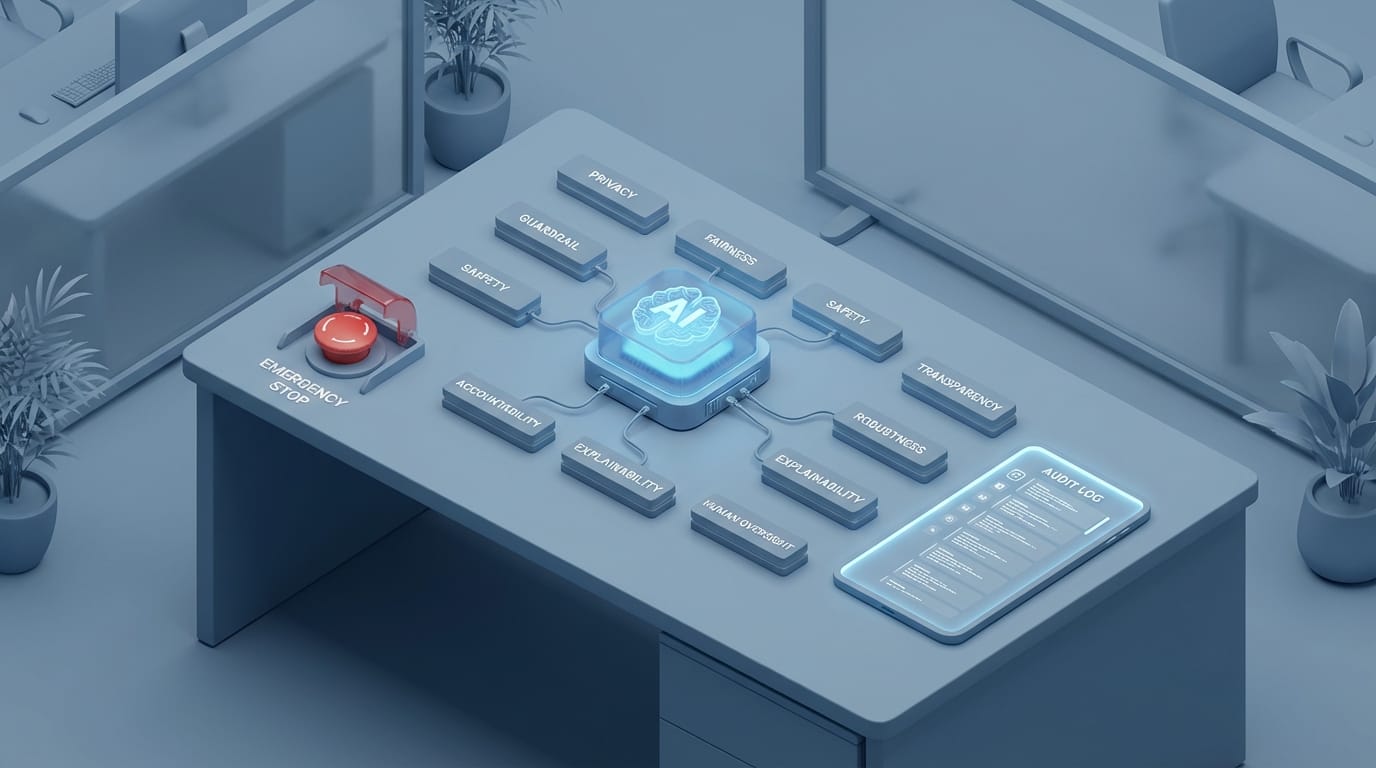
Imagine this: you ship a shiny new AI feature on Friday… and by Monday it’s hallucinating policy updates, leaking internal info, and giving your support team the emotional experience of being trapped in a washing machine.
Sounds dramatic? It’s not. AI is now plugged into everything—customer support, hiring, security workflows, content, analytics—and the world’s getting a little… spicy. We’re seeing more internet shutdowns (300+ incidents in 54 countries over two years) and escalating geopolitical chaos, which means your AI systems are operating in a riskier, messier environment than they were even a year ago.[2] So yeah, you need rules. Not “AI ethics poster on the wall” rules. Real, practical rules that keep you out of trouble.
The real problem: AI makes it easy to move fast… and break reality
I’m pro-AI. Like, aggressively pro-AI. But I’m also pro-not-getting-sued, pro-not-melting-trust, and pro-not-building a tool that confidently invents nonsense. The trick is treating AI like a powerful intern with a jetpack: useful, fast, occasionally brilliant… and absolutely capable of punching a hole in your wall if you don’t set boundaries.

So here are my eight rules. I use some version of these in every AI project I touch—product, ops, marketing, doesn’t matter.
Eight AI Rules You Need to Know
1) Don’t ask AI to do a job you can’t explain
If you can’t describe what “good” looks like, the model won’t magically figure it out. You’ll get output that feels plausible but doesn’t match your business reality.
Practical move: Write a one-paragraph “definition of done” before you write a prompt. If you can’t do that, you’re not ready to automate it.
2) Assume the first answer is wrong (until proven otherwise)
LLMs are prediction machines, not truth machines. They don’t “know,” they generate. If you’re using AI for anything that touches legal, medical, finance, safety, or crisis situations, you need verification steps.
And given how fast global events are moving—wars, protests, policy shifts—stale or incorrect info can become harmful quickly.[2][3]
Practical move: Require citations or internal source links for any “factual” output. No sources? No shipping.
3) Put humans in the loop where it actually matters
People love saying “human-in-the-loop” like it’s a magic spell. But here’s the question: which humans, looping into what, at which moment?
For example: letting AI draft a customer refund email? Fine. Letting AI approve the refund amount? Maybe not. Letting AI decide which refugees get flagged in an immigration workflow? Hard no. (And yes, governments are pushing hard on enforcement right now—automating bad decisions is very much a real-world risk.)[3][5]
Practical move: Make a simple tier system: Low risk: AI can auto-send (with logs). Medium risk: AI drafts, human approves. High risk: AI suggests, human decides, second human audits.
4) Keep your secrets out of the prompt
This is the easiest rule to follow and the one teams break constantly. People paste customer data, internal docs, API keys (yes, really), or sensitive strategy into prompts because it’s convenient.
It’s like yelling your passwords across a coffee shop because your friend is “really good at remembering stuff.”
Practical move: Redact by default. Use templates with placeholders. If you need private context, use an approved internal RAG system or vetted enterprise setup with clear data-handling policies.
5) Build for outages and information blackouts
This one’s getting more important, not less. Internet shutdowns are rising globally, often during unrest.[2] Iran reportedly had a nationwide internet blackout amid mass protests.[3] Whether you’re operating internationally or just relying on a vendor with global dependencies, your AI workflows can and will get disrupted.
Practical move: Design graceful degradation: Fallback to non-AI rules/heuristics. Cache critical prompts and policies. Queue actions for later review instead of failing silently.
6) Measure outcomes, not vibes
“The AI responses feel better” is not a metric. It’s a vibe. Vibes are how you end up thinking you improved support while your refund rate quietly explodes.
Practical move: Pick 3–5 metrics per AI feature: Accuracy (or human-accept rate) Time saved Error rate / escalation rate Customer satisfaction impact Cost per resolution
7) Treat prompts like code (version them, test them, review them)
If your business depends on prompts and you’re not versioning them, you’re basically deploying production changes by whispering into the wind and hoping it works out.
Practical move: Put prompts in Git. Add a basic test suite: “If user says X, the model must do Y.” And yes, do code review—because prompt changes can have bigger behavioral impact than a lot of code changes.
8) Create a kill switch. Seriously.
If your AI starts doing something weird—like inventing policy, advising dangerous actions, or escalating a crisis—you need a way to shut it down fast. Not “we’ll hotfix it tomorrow.” Fast.
Given how volatile the news cycle is right now—conflicts, protests, policy shifts—misinformation or poorly tuned automation can amplify harm at the worst time.[2][3][4]
Practical move: Implement: A feature flag to disable AI output instantly Rate limiting for sensitive workflows Alerting on anomaly spikes (complaints, escalations, unsafe keywords)
Common mistakes (a.k.a. how teams faceplant with AI)
- Letting AI “freestyle” in regulated or high-stakes areas. That’s not innovation, that’s roulette.
- Using AI to replace a broken process. AI scales whatever you already are—mess included.
- No audit trail. If you can’t explain why the AI did something, you can’t defend it.
- One-model-fits-all. The best model is the one that meets your risk/cost needs, not the fanciest one.
FAQ
Do I need a separate “AI policy” for my team?
Yes. Keep it short: what tools are allowed, what data is forbidden, and when human approval is required.
Is RAG (retrieval-augmented generation) enough to stop hallucinations?
Nope. It helps, a lot, but you still need validation, monitoring, and good source hygiene.
Should we train our own model?
Most teams shouldn’t. Start with strong workflows, good data controls, and measurable outcomes. Custom training is dessert, not dinner.
Action challenge: pick one rule and implement it today
If you do nothing else, do this: add a kill switch (Rule #8). It’s the seatbelt you’ll be grateful for later. Then take 30 minutes and classify your AI use cases into low/medium/high risk (Rule #3). You’ll immediately see where you’re over-automating.
AI is a power tool. Use it like one. And if you’re tempted to let it run unsupervised in a high-stakes workflow… ask yourself: would you give an intern the launch codes?
Sources
- FERC, “January 2026 Commission Meeting” (meeting summaries referenced in reporting). https://www.ferc.gov
- UN / IPS reporting on global crises and internet shutdowns (300+ incidents in 54 countries over two years), Jan 2026. https://news.un.org/ and https://ipsnews.net/
- Democracy Now! reporting on Iran protests, internet blackout, and U.S. policy actions, Jan 22–23, 2026. https://www.democracynow.org/
- Euronews reporting on Gaza strikes and EU trade developments, Jan 2026. https://www.euronews.com/
- Additional U.S. outlet coverage referenced in the provided research dataset regarding TPS changes and related enforcement actions, Jan 2026.