5 Ways AI Agents Are Running Small Businesses in 2026 (Without the Drama)
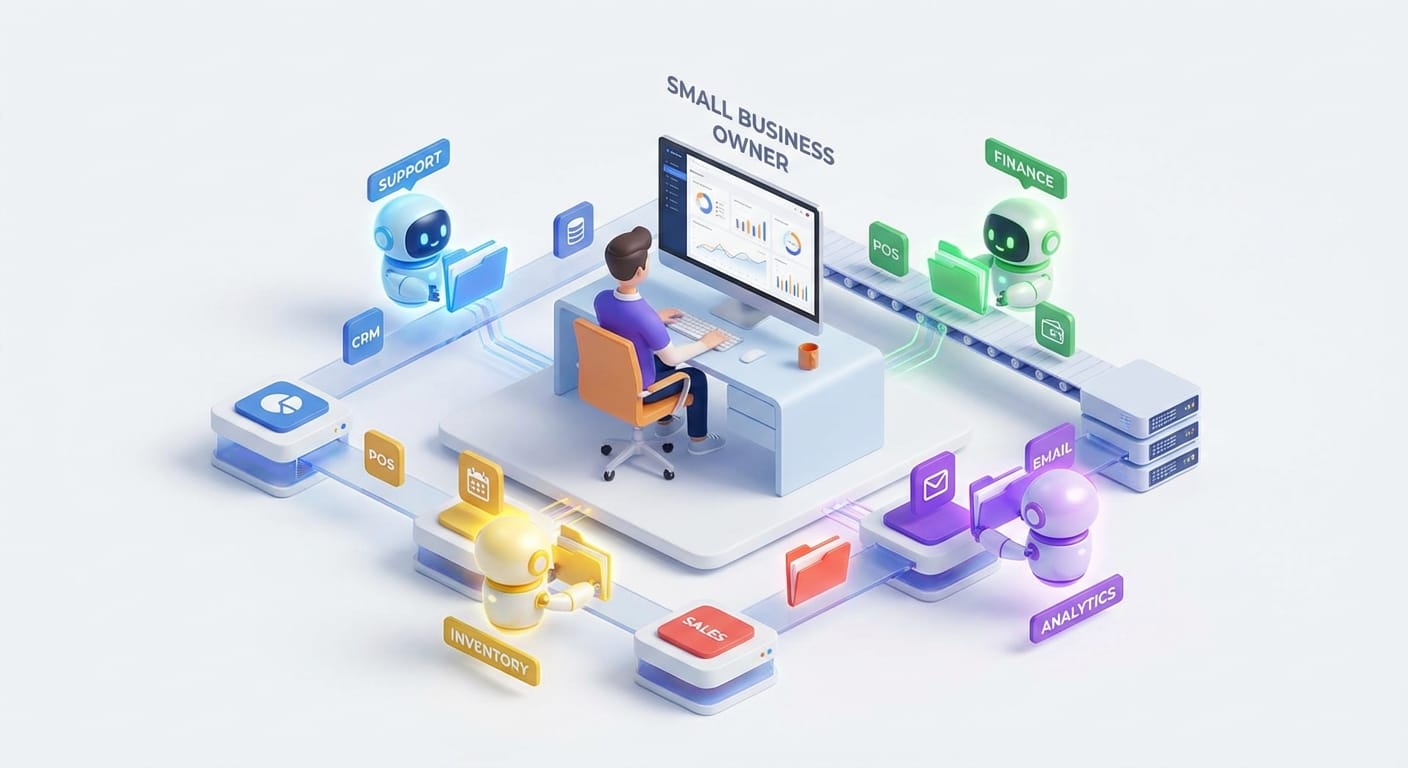
If you’re a small business owner in 2026 and you’re not hearing about “AI agents,” I have to ask… have you been hiding under a very cozy rock?
But here’s the thing: most of the chatter makes AI agents sound like sci-fi robots that’ll either save your business or steal your job. Reality is way less dramatic (and way more useful). Think of an AI agent like a reliable virtual assistant who can actually do the work—move data between tools, follow up with leads, answer customers, and keep your ops from turning into a sticky-note crime scene.
Let’s break down the five biggest ways AI agents are transforming small business operations in 2026, and how you can use them without hiring a PhD or rebuilding your whole company.
1) Cost savings: the “I didn’t hire three people” effect
I’m going to say the quiet part out loud: payroll is usually the biggest stress line item for small businesses. And not because you don’t value people—because every hire is a gamble. Will they ramp fast? Will they stay? Will they need a manager you don’t have time to be?
AI agents are helping owners cut costs by taking repetitive work off human plates—stuff like scheduling, data entry, basic bookkeeping categorization, CRM updates, and routine follow-ups. The research points to founders saving 20–30 hours per week on manual work like scheduling and data entry. That’s not a “nice-to-have.” That’s a whole part-time job—sometimes more—handed back to you. [4]
And the pricing model matters. A lot of tools now let you start on free or low-cost tiers and scale up when it’s actually paying for itself. Platforms like Lindy, for example, are positioned as no-code agents that can handle CRM updates and follow-ups without you living inside your inbox. [2]
Practical ways to use cost-saving agents this month
- Finance agent: auto-categorize expenses, flag weird charges, and prep clean books for your accountant by connecting to POS/accounting tools. [1]
- Ops agent: handle scheduling, reminders, and internal task routing so you stop being the human router.
- Sales admin agent: log calls, update deals, and send “next step” emails so leads don’t die in the follow-up gap.
My take: If an AI agent saves you even 5 hours a week, it’s basically printing money—because you’ll spend those hours selling, delivering, or fixing the bottleneck that’s actually limiting growth.
2) Automation: from “one task” bots to end-to-end workflows
Old-school automation was like: “When someone fills out this form, send an email.” Cool. Helpful. Also… kind of 2016.
In 2026, AI agents are doing workflow automation—multi-step, end-to-end processes that touch multiple tools and make basic decisions along the way. Inventory forecasting, lead scoring, campaign execution, onboarding—this stuff isn’t theoretical anymore. [1]
A real-world analogy: if Zapier is a conveyor belt, an AI agent is a warehouse worker who can walk the floor, grab the right boxes, and fix problems when the label is smudged.
Where automation hits hardest (in a good way)
- Inventory: agents forecast demand, reduce stockouts, and trigger reorders—huge for ecommerce and retail. [1]
- Sales & marketing: score leads, draft personalized emails based on behavior, and run campaigns with less hand-holding. [1][2]
- HR: screen resumes, schedule interviews, and guide onboarding—especially useful if hiring is occasional but painful. [1]
And you don’t need to be technical. No-code platforms like Lindy and frameworks like CrewAI are making “drag-and-drop agent workflows” a real thing for non-engineers. [2][3]
My stance: Automation is the first place to deploy agents because it’s measurable. Either the workflow finishes or it doesn’t. Either the reorder happened or it didn’t. That clarity makes ROI obvious.
3) Customer service: 24/7 help without hiring a night shift
Customer expectations have changed. People don’t want to wait two days for an answer about shipping, returns, or availability. They want it now—preferably while they’re still in “buying mode.”
AI agents are giving small businesses 24/7 support by handling FAQs, appointment booking, basic troubleshooting, and ticket triage. Salons use agents to schedule seamlessly, and support teams use them to classify tickets, solve common issues, and escalate the messy stuff to a human. [1][2]
Here’s the key: agents don’t have to replace your support team. They’re more like the bouncer at the door—letting in the easy questions fast and sending the complicated ones to the right person.
Quick wins for better customer service
- Instant answers: “Where’s my order?” “Do you ship to Canada?” “What’s your refund policy?”
- Appointment booking: less phone tag, fewer no-shows, cleaner calendars. [1]
- Ticket triage: tag, prioritize, and route issues so urgent stuff doesn’t rot in a general inbox. [2]
Personal opinion: If you’re getting more than a handful of customer messages per day, an agent is basically mandatory now. Not because you’re lazy—because speed is a competitive advantage.
4) Data analysis: turning “random numbers” into decisions
Most small businesses aren’t drowning in data—they’re drowning in unusable data. It’s scattered across Shopify, Square, QuickBooks, your CRM, email, spreadsheets, and that one notebook you swear you’ll digitize someday.
AI agents are getting good at pulling signals out of that mess: analyzing customer behavior, historical sales, marketing performance, and internal metrics to produce actionable insights. They can predict sales trends, prioritize high-conversion leads, and nudge you when pipelines go cold. [1][2]
Finance agents can spot irregularities in expenses, and inventory agents forecast demand to reduce waste. [1] Platforms like Relevance AI are pushing modular agents that work on internal data and integrate with CRMs so non-analysts can actually use the insights. [2][3]
What this looks like in plain English
- “Your best customers tend to reorder at day 21—send a reminder at day 18.”
- “These 12 leads are most likely to close based on past behavior—call them first.”
- “This expense category spiked 40% vs last month—want to review anomalies?”
My take: Data analysis is where agents go from “helpful” to “unfair advantage.” Big companies have analysts. You probably don’t. Agents are how you get the analyst effect without the analyst payroll.
5) Scaling: growth without the headcount hangover
Scaling used to mean one thing: hiring. And hiring is fine… until it isn’t. Because every new person adds communication overhead, training time, management complexity, and (let’s be honest) more meetings.
AI agents help you scale by acting like virtual employees that can absorb volume increases without proportional staff increases. One agent qualifies leads, another follows up, a third schedules—passing context between them like a well-run relay team. [2]
This is also becoming mainstream fast. Predictions suggest that by 2026, 40% of applications will include agentic capabilities, meaning small teams can automate more without custom building everything. [3]
Scaling examples that actually matter
- Sales: more leads handled, faster follow-up, fewer “oops we forgot” moments.
- Marketing: personalized campaigns that don’t require you to clone yourself. [1]
- Ops: demand forecasting and reorder automation so growth doesn’t create chaos. [1]
One caution: scaling with agents only works if your processes are at least somewhat defined. If your current system is “whatever Marty remembers at 11pm,” the agent will faithfully automate your chaos. (Ask me how I know.)
The real-world challenges (and how to not faceplant)
Yes, there are hurdles: integration headaches, data privacy, and team adoption are the big three. [1] The good news is most modern tools are built with pre-made integrations and security protocols, and adoption gets easier when you position agents as support—not surveillance or replacement.
- Integration: start with one workflow and one tool connection. Prove value, then expand.
- Privacy: limit access to what the agent needs, use role-based permissions, and keep sensitive data segmented.
- Adoption: frame it as “less grunt work, more meaningful work.” Train your team with real examples.
What I’d do if I were you (a simple 2-week rollout plan)
- Pick one pain point that costs you time weekly (support inbox, scheduling, CRM updates, invoicing).
- Choose a no-code agent tool and implement a single workflow (Lindy is a common starting point). [2]
- Measure one metric: hours saved, response time, lead-to-meeting rate, stockouts, etc.
- Add a human review step at first. Then reduce oversight as confidence grows.
- Expand to the next workflow only after the first one is stable.
Actionable takeaways (do these next)
- Start with cost savings: automate the boring admin work and reclaim 5–10 hours/week fast. [4]
- Automate one end-to-end workflow: inventory, lead follow-up, or invoicing—something with a clear “done/not done.” [1]
- Use agents to speed up customer responses: 24/7 coverage is a competitive edge now. [1][2]
- Turn data into decisions: let an agent surface trends and anomalies you’d never have time to find. [1][2]
- Scale without panic hiring: add agents like virtual team members before you add headcount. [2][3]
Sources
- [1] Research data provided: AI agents in small business operations (inventory, finance, HR, support, scaling examples).
- [2] Research data provided: Lindy, Relevance AI, multi-agent collaboration, no-code deployment.
- [3] Research data provided: 2026 prediction that ~40% of applications will feature agentic capabilities.
- [4] Research data provided: estimated 20–30 hours/week saved per founder via automation of manual work.